Stop trying to buy your way into productivity. I am so tired of seeing these “study with me” videos where everything is perfectly color-coded, the lighting is soft, and there’s some overpriced $50 candle burning in the background. Honestly, if you think a new set of pastel highlighters or a specific Lo-Fi playlist is the secret to how to focus while studying, you’re just performing productivity theater. I spent half my undergrad trying to curate the perfect desk setup, only to realize I was spending more time arranging my pens than actually reading my textbooks.
I’m not here to sell you an aesthetic; I’m here to help you build a system that actually works when your brain wants to rot. I’ve spent years troubleshooting both complex server networks and my own chaotic study habits, and I’ve learned that focus is about removing friction, not adding expensive decorations. In this post, I’m stripping away the fluff to give you the raw, functional tactics I use to stay on track. We’re going to talk about real-world setups and mental resets that will help you actually get the work done so you can get back to your real life.
Effective Study Environment Setup Without the Clutter
Look, I’m going to be real with you: you don’t need a $500 ergonomic chair or a custom-built mahogany desk to get into the zone. I see these “studygram” setups all over my feed—everything is beige, perfectly lit, and looks like nobody has ever actually touched a textbook in their life. In reality, an effective study environment setup is about friction, not aesthetics. If your phone is sitting face-up next to your laptop, you’ve already lost the battle. I keep my workspace stripped down to the essentials: my laptop, a notebook, and enough water to keep me from feeling like a dried-out sponge.
The goal here is minimizing study distractions by lowering your cognitive load. When your desk is covered in random mail, half-empty coffee mugs, and tangled charging cables, your brain is subconsciously processing that mess instead of the material you’re trying to memorize. It’s like trying to run a heavy piece of software on a system with way too many background processes hogging the RAM. Clear the surface, hide the phone in a drawer, and create a dedicated “work zone” that signals to your brain that it’s time to actually engage.
Minimizing Study Distractions Using Systems Not Willpower
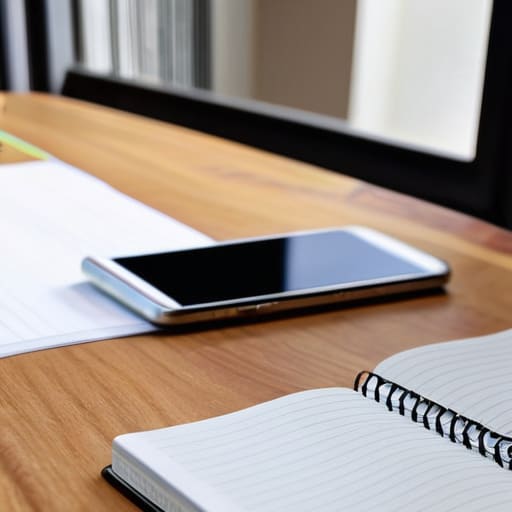
Here’s the hard truth: relying on willpower to stay focused is a losing game. Willpower is a finite resource, and by the time you’ve spent three hours fighting the urge to check your phone, your brain is already fried. Instead of trying to “be stronger,” you need to build systems that make distraction physically harder to access. This is all about minimizing study distractions by redesigning your digital and physical workflow. If your phone is sitting face-up next to your laptop, you’ve already lost. Put it in another room, or at the very least, use a “Do Not Disturb” profile that only allows emergency contacts through.
Once you’ve cleared the external noise, you have to manage your internal bandwidth. This is where understanding cognitive load and learning becomes a superpower. When you try to multitask or jump between tabs, you aren’t actually working; you’re just paying a heavy “switching tax” that drains your mental energy. I personally swear by the Pomodoro technique for students to keep my momentum steady. By setting a timer for 25 minutes of deep work followed by a mandatory five-minute break, you stop treating your brain like a machine that can run indefinitely and start treating it like the delicate piece of hardware it actually is.
Low-Tech Tactics for High-Stakes Focus
- Stop relying on your brain to remember everything. If it’s not on a physical list or a dedicated task manager, it doesn’t exist. Write down your “one big thing” for the session before you even open your laptop so you don’t spend forty minutes just deciding what to do.
- Use the “Flight Mode” rule for your brain. If you’re studying on a device, kill the Wi-Fi or use a site blocker. If you’re using paper, put your phone in another room entirely. If it’s within arm’s reach, you will check it, and once that dopamine loop starts, your focus is dead.
- Try the “Low-Fi” method for background noise. I can’t do silence—it makes my brain too loud—but pop music is a disaster. Stick to brown noise, ambient rain, or those repetitive lo-fi beats. You want something that fills the sonic void without giving your brain new lyrics to latch onto.
- Build in “Hard Stops” instead of infinite loops. Don’t just say “I’ll study until I’m tired.” Set a timer for a specific block of time, and when it dings, you actually walk away. Giving yourself a definitive end point makes the actual work feel less like a life sentence.
- Manage your physical energy, not just your time. If you’re trying to grind through a textbook while running on three hours of sleep and a sugary energy drink, you’re just performing “productive procrastination.” Eat something real, hydrate, and if your brain is officially fried, take a twenty-minute nap instead of staring blankly at a screen for two hours.
Stop Overthinking and Just Start
Look, we’ve covered a lot of ground, from optimizing your physical workspace to building digital guardrails that actually work. The takeaway here isn’t that you need a $500 ergonomic chair or a perfectly curated lo-fi playlist to be productive. It’s about realizing that focus is a byproduct of your environment and your systems, not some magical personality trait you’re either born with or you’re not. By stripping away the unnecessary clutter and replacing willpower with repeatable habits, you’re essentially debugging your own brain. You don’t need to master every productivity hack on the internet; you just need to build a setup that doesn’t fight against you.
At the end of the day, don’t let the pursuit of the “perfect” study routine become just another distraction. If you spend three hours color-coding a planner instead of actually reading your textbook, you haven’t won; you’ve just procrastinated with style. Perfectionism is the ultimate system failure. My advice? Pick one thing we talked about today—maybe it’s putting your phone in another room or clearing your desk—and just implement it right now. Stop waiting for the “right” headspace to arrive and start building the framework that makes focus inevitable. You’ve got this, so go get to work.
Frequently Asked Questions
What do I do when I've already set up my space but my brain still feels too scattered to start?
Look, I get it. You’ve got the clean desk and the noise-canceling headphones, but your brain is still running fifty tabs in the background. When the physical space is ready but the mental hardware is glitching, stop fighting it. Try a “brain dump.” Grab a piece of paper and write down every single random thought or task circling your head. Once it’s on paper, your brain can stop using energy to “hold” those thoughts, finally freeing up some RAM to actually focus.
How do I deal with digital distractions if my entire course material is hosted on my laptop?
This is the ultimate catch-22, right? You need the laptop to learn, but the laptop is also a portal to every distraction ever made. Since you can’t just ditch the device, you have to build digital fences. I swear by “Focus Modes”—set one up that nukes all notifications except for your essential apps. If that fails, try a browser extension like Forest or Cold Turkey to hard-block the sites that tempt you. Treat your laptop like a tool, not a playground.
Are there specific types of background noise or "lo-fi" setups that actually help, or is silence better?
Look, there’s no universal “right” answer, but I’ve learned that total silence can actually be a distraction if your brain starts hunting for sounds in the quiet. For me, it’s all about consistent, non-intrusive frequencies. If you need noise, go for brown noise or low-tempo lo-fi—nothing with lyrics that’ll hijack your internal monologue. If you’re someone who gets easily overstimulated, stick to silence or a simple white noise machine. Find your baseline and stick to it.
How do I know if I'm actually being productive or if I'm just stuck in a loop of "productive procrastination"?
Look, I’ve been there. You spend three hours color-coding a Notion template or reorganizing your desktop folders instead of actually opening the textbook. It feels like work, but it’s just a trap. Here’s the litmus test: ask yourself, “Am I moving the needle on my actual goal, or am I just prepping to start?” If you aren’t producing something tangible—a draft, a solved problem, a finished chapter—you’re just performing productivity. Stop prepping and start doing.