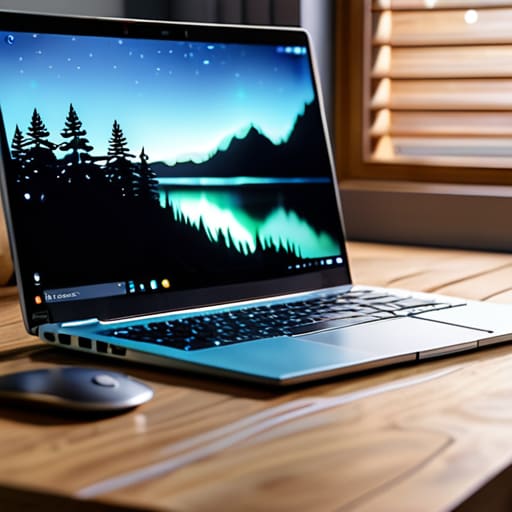
I was sitting on my floor last Tuesday, surrounded by three different hubs, four tangled charging cables, and a smart bulb that refused to acknowledge my existence, wondering why I’d even bothered. We’ve been sold this lie that learning how to set up a smart home requires a degree in computer science and a house that looks like a sterile showroom from a sci-fi movie. But honestly? Most of that high-end, “perfectly integrated” tech is just expensive clutter that creates more headaches than it solves. If your smart speaker can’t understand your accent and your lights require a fifteen-minute troubleshooting session just to dim, your system isn’t smart—it’s just broken.
I’m not here to sell you on a lifestyle of aesthetic perfection or a budget-breaking ecosystem of proprietary gadgets. Instead, I want to show you how to build a setup that actually serves your daily routine without turning your living room into a server farm. We’re going to strip away the marketing fluff and focus on the practical basics: choosing hardware that actually talks to each other, securing your network so you aren’t leaving your front door open to hackers, and automating the small, annoying stuff so you can finally stop thinking about it.
Guide Overview
Tools & Supplies
- Smartphone or Tablet (to run control apps)
- Wi-Fi Router (to provide network connectivity)
- Screwdriver (for mounting hardware if needed)
- Smart Hub (1 unit)
- Smart Bulbs (3-5 units)
- Smart Plugs (2-3 units)
- Smart Speaker (1 unit)
Step-by-Step Instructions
- 1. First things first, you need to audit your current Wi-Fi situation. Before you go out and buy a single smart bulb, make sure your router isn’t a total ancient relic that’s going to choke the second you add five new devices. If you’re living in a place with thick walls or a lot of dead zones, I highly recommend investing in a mesh Wi-Fi system rather than trying to stretch one old router to do the impossible.
- 2. Next, pick your “brain.” You don’t want to be jumping between ten different apps just to turn off a lamp. Decide whether you’re going to live in the Apple HomeKit ecosystem, use Google Home, or lean into Amazon Alexa. My advice? Don’t get too caught up in the brand wars; just pick the one that actually plays nice with the devices you already own and stick to it to keep your sanity.
- 3. Start small with your “low-hanging fruit” devices. I’m talking about smart plugs and smart bulbs. These are the easiest entry points because they don’t require any actual wiring or electrical knowledge. Plug a lamp into a smart plug, connect it to your chosen hub, and suddenly you’ve conquered your first automation without even breaking a sweat or needing a screwdriver.
- 4. Once you’ve got the basics down, move on to the stuff that actually improves your daily workflow, like smart thermostats or smart locks. This is where you start to see the real ROI on your time and energy. Just a heads-up: when installing something like a smart lock, read the manual twice. I’ve spent way too many late nights troubleshooting a door that wouldn’t lock because I skipped a single tiny step in the setup process.
- 5. Now comes the fun part: setting up your automations. This is where the “smart” part actually happens. Instead of just controlling things with your phone, set up routines that work in the background. For example, you can program your lights to dim at 10 PM or have your coffee maker start brewing when your alarm goes off. The goal isn’t to have a flashy light show; it’s to make your environment react to you so you don’t have to think about it.
- 6. Finally, do a “stress test” on everything you’ve built. Walk through your house and trigger your routines manually to see if there are any weird lag times or connectivity hiccups. If a device keeps dropping offline, it’s likely a signal strength issue, not a broken gadget. It’s much easier to fix a placement problem now than it is to deal with a flickering light every time you try to watch a movie.
Your Smart Home Beginner Checklist for Real Functionality
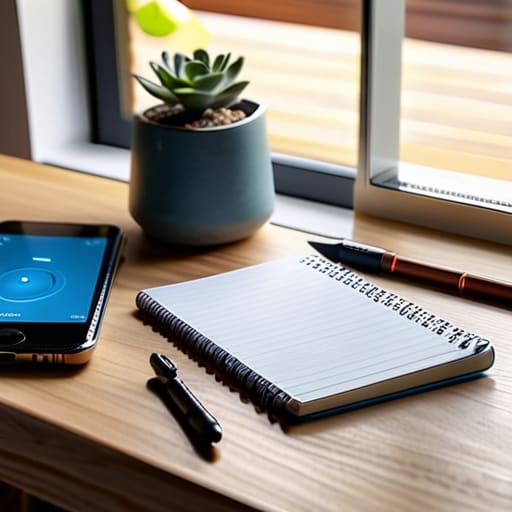
Before you go out and buy every shiny new gadget on the market, grab a notebook and run through this smart home beginner checklist. My biggest piece of advice? Don’t just buy things because they’re trending; buy them because they solve a specific annoyance in your daily routine. Check your Wi-Fi signal strength in the rooms where you actually want to install devices—nothing kills the vibe faster than a smart bulb that constantly drops offline because your router is stuck in the hallway. You also need to audit your existing tech to ensure smart home ecosystem compatibility. If you’re already deep in the Apple or Google ecosystem, try to stick to that lane to avoid the headache of having ten different apps just to turn off your kitchen lights.
Lastly, think about your long-term scalability. Instead of buying a dozen cheap, standalone bridges, look into the best smart home hubs 2024 has to offer to act as the “brain” of your operation. A solid hub makes automating home lighting and security feel seamless rather than like a series of disconnected chores. I always tell my friends: build your foundation first. If your connectivity is solid and your devices actually talk to each other, you won’t be spending your Saturday nights troubleshooting firmware updates instead of actually enjoying your space.
Mastering Smart Home Ecosystem Compatibility Without the Headache
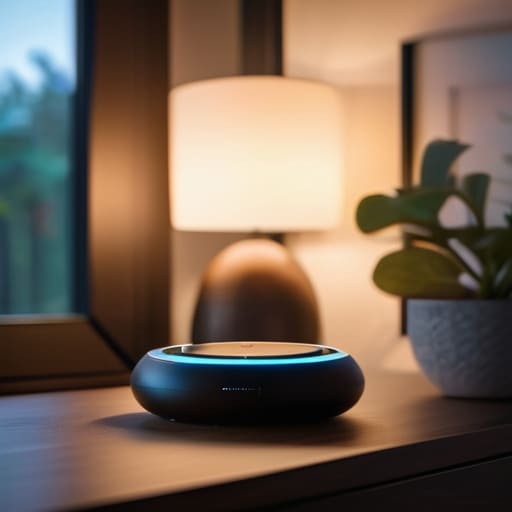
Here is the part where most people trip up: they buy a cool smart bulb here and a fancy lock there, only to realize a week later that nothing actually talks to each other. This is the core of smart home ecosystem compatibility, and it’s where the “fun” tech project turns into a troubleshooting nightmare. Before you hit “add to cart,” you need to decide on your command center. Are you a “hey Siri” person, or do you live in the Google/Alexa universe? Pick one primary lane and try to keep your new gadgets within that lane. It’s much better to have a slightly smaller collection of devices that actually work together than a garage full of expensive tech that requires five different apps just to turn off the lights.
If you’re feeling ambitious, you might look into integrating voice assistants to act as the glue for your setup, but don’t feel pressured to go overboard immediately. My advice? Start with a single, reliable hub if you’re planning on automating home lighting and security later down the line. If you try to bridge too many different brands without a solid foundation, you’ll spend more time resetting your Wi-Fi than actually enjoying your home. Keep it simple, keep it consistent, and your future self will thank you.
5 Reality Checks Before You Buy Another Smart Plug
- Prioritize your Wi-Fi stability over fancy gadgets. I’ve seen so many people buy a dozen smart bulbs only to realize their router is screaming for mercy; if your connection is spotty, your “smart” home is just going to be a collection of expensive paperweights.
- Map out your “Why” before the “What.” Don’t just buy a smart toaster because it’s trending; ask yourself if you actually need to control your appliances from your phone, or if you’d be better served by a smart thermostat that actually lowers your utility bill.
- Think about the “Guest Factor.” A truly functional smart home shouldn’t require your mom or your best friend to download a specific app and undergo a tutorial just to turn on the living room lights. Keep physical switches as a fallback.
- Avoid “App Fatigue” by sticking to a central hub. If you end up with fifteen different apps for fifteen different devices, you haven’t built a smart home—you’ve just built a digital chore. Try to keep your control centered in one or two reliable places.
- Budget for the “Hidden Costs” like subscriptions. A lot of these high-tech cameras and security systems look cheap upfront, but they’ll bleed you dry with monthly fees just to access your own footage. Read the fine print before you commit.
Final Thoughts Before You Plug In
Look, we’ve covered a lot of ground, from picking an ecosystem that doesn’t fight itself to building a checklist that actually prioritizes your daily needs over shiny gadgets. The biggest takeaway I want you to hold onto is that a smart home isn’t a finished project you complete once and then post on Instagram; it’s a living, breathing system. Focus on the foundational stuff first—stable Wi-Fi, compatible hubs, and devices that solve actual problems in your routine. If your smart lightbulb requires a twenty-minute troubleshooting session just to turn off the kitchen lights, it isn’t “smart,” it’s just a headache. Keep your setup modular and intentional, and you’ll avoid the trap of buying tech just for the sake of having it.
At the end of the day, don’t let the tech overwhelm the purpose of your home. Your space should serve you, not the other way around. You don’t need a house that looks like a sci-fi movie set to reap the benefits of automation; you just need a home that works for you while you’re busy living your actual life. Whether you’re just starting with a single smart plug or you’re halfway through a full-scale ecosystem overhaul, remember that the goal is simplicity and peace of mind. Go ahead, start small, break things if you have to, and build a system that makes your daily grind just a little bit smoother.
Frequently Asked Questions
Is it actually worth buying a dedicated hub, or should I just stick to using my phone and voice assistants for everything?
Look, if you only have two smart bulbs and a plug, stick to your phone. Don’t overcomplicate things. But the second you start adding sensors, locks, or more than a handful of devices, you’re going to hit a wall. Relying solely on cloud-based apps makes everything feel sluggish and laggy. A dedicated hub is like the backbone of your system—it keeps things local, fast, and actually reliable when your internet decides to take a nap.
How much am I going to mess up my home Wi-Fi if I start adding dozens of these little smart devices to the network?
Honestly? If you just start slapping every cheap smart bulb you find onto your standard ISP router, you will hit a wall. It’s not that you’ll “break” the Wi-Fi, but your connection will start feeling sluggish and flaky because your router is struggling to juggle all those tiny data requests. If you’re planning on going beyond a few devices, do yourself a favor: invest in a decent mesh system early. It’ll save you a massive headache later.
If I start with one brand like Google or Alexa, am I basically stuck in that ecosystem forever, or can I mix and match later?
Short answer: Absolutely not. You aren’t signing a blood oath with Amazon or Google. I’ve built setups that started with just an Echo Dot and ended up with a mix of everything. The trick is looking for the “Works with…” label on the box. As long as your new gadgets play nice with your central hub, you can mix and match. Don’t let brand loyalty trap you into buying stuff you don’t actually like.
What happens to my "smart" house if the internet goes down—will I be stuck in the dark or unable to unlock my own front door?
The short answer? It depends on how much you’ve over-engineered things. If you’ve relied entirely on cloud-based devices, you might be in trouble. But if you’ve built your system using local protocols like Zigbee or Matter, your lights and locks will keep working just fine. My rule of thumb: always prioritize hardware that can function offline. Don’t let a router glitch turn your “smart” home into a very expensive brick.