I spent most of last week staring at a Notion board that looked absolutely stunning, yet I somehow managed to miss three different deadlines. It’s a trap, right? We spend hours chasing that “perfect” digital aesthetic, scrolling through TikTok for the perfect setup, only to realize we’ve just created a high-tech way to procrastinate. I’ve realized that finding the best productivity apps isn’t about finding the prettiest interface; it’s about finding the tools that actually work with your brain instead of against it. We need systems that reduce friction, not add more digital clutter to our already overflowing mental tabs.
I’m done with the gatekeeping and the over-complicated workflows that require a PhD just to add a simple to-do item. In this post, I’m stripping everything back to the essentials and sharing the eight tools I actually rely on to keep my freelance life from spiraling into chaos. You’re going to learn which apps are worth your storage space and which ones are just expensive distractions in disguise. Let’s stop playing house with our software and finally build a workflow that actually functions.
Notion: The Digital Swiss Army Knife

Look, I know Notion can feel like staring at a blank canvas in a dark room, which is honestly a little intimidating at first. It’s basically a giant sandbox where you can build your own personal operating system, whether that’s a database for your vintage synth parts or a simple reading list. The trick is to not get lost in the aesthetics; you don’t need a custom icon for every single page to make it work.
Todoist: For the "Get It Done" Crowd
If you’re the type of person who just wants to dump a task into a list and forget about it until it’s time to do it, Todoist is your best friend. It’s stripped-back, fast, and doesn’t demand that you spend three hours setting up a complex workflow. I use it for everything from “buy more solder” to “submit freelance invoice,” and the natural language input is a total lifesaver.
Forest: Gamifying Your Focus
Let’s be real: my phone is a massive distraction machine. Every time I sit down to troubleshoot a server or edit a video, I find myself scrolling through something I don’t even care about. Forest is my favorite way to trick my brain into staying off social media. You plant a virtual tree, and if you leave the app to check your notifications, the tree dies.
Obsidian: For the Deep Thinkers
If your brain feels like a web of interconnected ideas rather than a straight line, you’re going to love Obsidian. It’s a note-taking app that uses “backlinks,” which essentially means you can connect notes to each other like a personal Wikipedia. It’s a bit more technical than your average app, but as someone with an IT background, I find the local-first, Markdown-based system incredibly satisfying.
Google Calendar: The Non-Negotiable Foundation
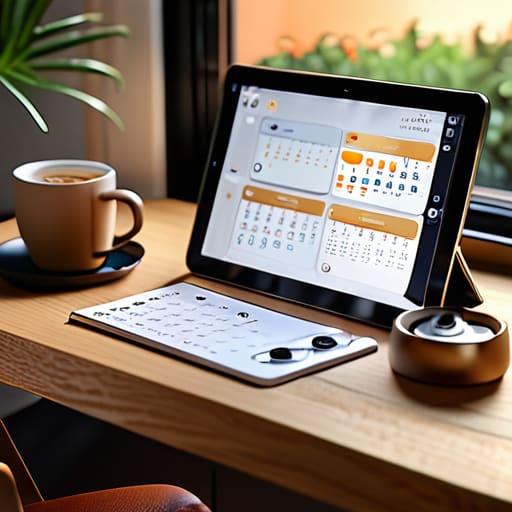
I know, I know—it’s basic. But if you don’t have a centralized way to see where your time is actually going, you’re basically flying blind. Google Calendar is the backbone of my entire schedule, and I don’t care how many fancy, paid planners are out there; this is the gold standard for a reason. It’s reliable, it syncs everywhere, and it’s free.
Trello: Visualizing the Chaos
Sometimes, seeing a list of text just isn’t enough to help you understand the “state” of a project. That’s where Trello comes in. It uses a Kanban board style—think columns like “To Do,” “Doing,” and “Done”—which is perfect for visual learners or anyone managing a multi-step DIY project. I love being able to drag a card from one column to the next; it gives me a tiny hit of dopamine that keeps me moving.
Pocket: Curating Your Digital Intake
We all do it: we find a super interesting article or a tutorial, tell ourselves “I’ll read this later,” and then immediately forget it exists. Pocket is my solution to that digital hoarding habit. Instead of leaving fifty tabs open on my browser—which is a total system resource hog, by the way—I just toss them into Pocket to read when I actually have the headspace.
Slack: For Professional Boundaries
Since I work as a freelancer, the line between “work time” and “life time” can get incredibly blurry. I use Slack to keep my professional communications entirely separate from my personal texts and emails. It allows me to communicate with clients and collaborators in a dedicated space, which helps me compartmentalize my brain when the workday is over.
Stop Collecting, Start Doing
At the end of the day, whether you’re leaning into a heavy-duty task manager like Notion or just keeping your head above water with a simple checklist, the goal is the same: getting your brain out of your head and into a system that works. We’ve looked at everything from deep-work timers to seamless note-taking tools, but remember that these apps are just digital versions of a screwdriver or a wrench. They aren’t magic, and they won’t fix a broken workflow on their own. The “best” app isn’t the one with the most features or the prettiest UI; it’s the one that actually stays out of your way while you’re trying to get your real work done.
Don’t fall into the trap of “productivity porn”—that endless cycle of downloading new apps and tweaking settings just to feel like you’re being productive when you’re really just procrastinating. Pick one or two tools from this list, set them up once, and then get back to the actual work. Your life shouldn’t be a constant battle of managing your management tools. Build a system that serves you, keeps your digital space functional, and most importantly, gives you your time back. You’ve got this.
Frequently Asked Questions
I have a million apps already; how do I know if I'm actually being productive or just playing "productivity Tetris" with my icons?
Honestly, I’ve been there. I used to spend more time color-coding my Notion boards than actually doing the work. It’s called “productive procrastination,” and it’s a trap. Here’s the litmus test: if you can’t explain exactly how an app helps you complete a specific task in under ten seconds, it’s just digital clutter. If you’re spending your energy managing the tool instead of the work, delete it. Your setup should serve you, not the other way around.
Is it worth paying for a monthly subscription, or are there solid free versions that won't leave me hanging mid-project?
Look, I get it. Subscription fatigue is real, and watching your bank account bleed out $10 a month for every single tool is exhausting. Honestly? Most of the time, the free versions are more than enough to get you through a project without hitting a wall. Don’t pay for the “Pro” badge until you’ve actually outgrown the free tier’s limits. If a tool starts gatekeeping basic features you actually need, that’s when you reconsider.
How do I stop my phone from becoming a massive distraction while I'm trying to use these tools to focus?
Honestly, it’s a losing battle if you try to use willpower alone. Your phone is literally engineered to hijack your dopamine. My go-to? Set your screen to grayscale. It makes Instagram look incredibly boring, which kills that mindless scrolling urge. Also, if you’re serious, use “Focus Modes” to hard-block everything except your essential tools. If it doesn’t help you build or finish a task, it shouldn’t be allowed to buzz in your pocket.
Do these apps actually sync well if I'm jumping between my laptop for work and my phone when I'm out and about?
Honestly, that’s the dealbreaker for me. If I can’t jot a note on my phone while grabbing coffee and see it instantly on my laptop when I sit down to work, I’m out. Most of the ones I listed are built for exactly that—seamless, background syncing. Just a heads-up: always double-check that you’re logged into the same account on both devices. Nothing kills my flow like realizing my “sync” is actually just a mess of duplicates.