I am so tired of seeing those “aesthetic” productivity videos where people use $50 linen planners and color-coded highlighters just to pretend they have their lives together. If you’re looking for a way to turn your desk into a Pinterest board, you’re in the wrong place. Real productivity for ADHD isn’t about making your life look pretty; it’s about building systems that don’t crash the second your brain decides to switch tabs. I spent years trying to force myself into those rigid, “perfect” workflows, only to end up staring at a blank screen while my multi-tool sat unused and my to-do list gathered dust. It was exhausting and, frankly, a total waste of energy.
I’m not here to sell you on a lifestyle brand or a subscription-based app that promises to “fix” you. Instead, I want to share the low-maintenance, functional frameworks I’ve actually used to keep my freelance business running without losing my mind. We’re going to focus on tools that work and systems that are simple enough to actually stick when the dopamine hits a wall. No fluff, no gatekeeping—just practical ways to make your day-to-day life actually function.
Stop Fighting Executive Dysfunction Strategies That Fail

Look, we need to stop pretending that “just trying harder” is a valid strategy. If you’ve spent your afternoon staring at a pile of laundry or a half-finished spreadsheet while your brain feels like it’s stuck in a loading loop, you aren’t lazy—you’re experiencing executive dysfunction. Most of the advice floating around the internet assumes you have a standard operating system, but your brain is running on custom, high-intensity code. Trying to force yourself into a rigid, neurotypical schedule is like trying to run high-end software on a vintage synthesizer without the right voltage; you’re just going to fry the circuits.
Instead of fighting your biology, start leaning into dopamine seeking behaviors rather than punishing them. If you find yourself scrolling through TikTok when you should be filing taxes, your brain is literally starving for a hit of stimulation. Instead of fighting the urge, try to gamify the boring stuff. Use the body doubling technique by hopping on a video call with a friend or even just sitting in a coffee shop; having another human in your periphery can act like an external stabilizer for your focus. Stop aiming for “perfectly disciplined” and start aiming for “functional enough to get through the day.”
Managing Time Blindness Without the Constant Guilt
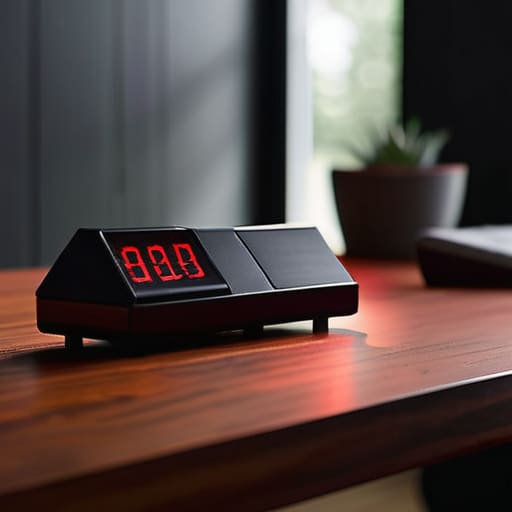
The biggest lie we’re told about time is that it’s linear. For my brain, time isn’t a steady stream; it’s either a sudden flood or a complete void. This is where time blindness management becomes less about “fixing” yourself and more about building external scaffolding. I stopped trying to use those tiny, delicate hourglasses that look cute on a desk and started using loud, aggressive timers. If I don’t hear a countdown, the task effectively doesn’t exist.
I’ve also learned that my tendency to hyperfocus on the wrong thing is usually just a symptom of dopamine seeking behaviors. Instead of punishing myself for losing three hours to a Wikipedia rabbit hole, I try to lean into the body doubling technique. Sometimes, just having a friend on a FaceTime call—even if they aren’t saying a word—acts like an anchor, keeping me tethered to the reality that I actually have a kitchen to clean or a server to patch. It’s not about being “on time” in the traditional sense; it’s about creating enough external friction to stop the drift.
Low-Friction Systems for When Your Brain Refuses to Cooperate
- Stop buying “aesthetic” planners that you’ll abandon in three days; instead, use a single, brain-dead simple digital task list or a single notebook that lives in the same spot every single day.
- Build “dopamine stations” by setting up your most frequent tasks—like your charging cables, your keys, or your work laptop—in a way that requires zero mental energy to initiate.
- Use “body doubling” as a tool rather than a social event; if you can’t start a task, hop on a video call with a friend or even just put on a “Work With Me” video on YouTube to trick your brain into focus mode.
- Treat your environment like a system that needs troubleshooting; if you keep losing your tools, stop blaming your brain and start installing hooks, trays, or bins exactly where the friction is happening.
- Implement “micro-wins” by breaking a daunting project into tasks so small they feel insulting—don’t “clean the kitchen,” just “put three forks in the dishwasher”—to bypass that initial paralysis.
Stop Aiming for Perfection, Start Aiming for Function
Look, we’ve covered a lot of ground, from stop-gap measures for executive dysfunction to finally making peace with your internal clock. The takeaway isn’t that you need to master every single one of these hacks overnight; it’s about realizing that your brain isn’t broken, it just requires a different operating system. Whether you’re using timers to combat time blindness or building low-friction environments to bypass decision fatigue, the goal is the same: reducing the friction between your intentions and your actions. If a system feels like a chore, scrap it. If a planner looks beautiful but stays empty, toss it. We aren’t building a curated museum of productivity; we’re building a toolkit that actually works when things get messy.
At the end of the day, please try to be a little kinder to yourself. You’re going to have days where the systems fail, the dopamine crashes, and you end up staring at a wall for three hours instead of finishing that project. That’s not a failure of character; it’s just part of the process. Don’t let the pursuit of “optimized living” become another source of burnout. Focus on building systems that serve you, rather than trying to force yourself to serve the systems. You deserve a life that functions, and you’re more than capable of figuring it out, one small, imperfect tweak at a time.
Frequently Asked Questions
How do I deal with the "paralysis" that hits when my to-do list feels way too big to even start?
That “paralysis” is basically your brain hitting a blue screen because the task list looks like a wall of code it can’t compile. When that happens, stop looking at the whole list. It’s useless right now. Pick one tiny, almost stupidly easy thing—like just opening a document or clearing one physical surface. Don’t aim for “productive”; just aim for “movement.” Once you break the static, the momentum usually follows.
Are there any low-tech ways to track time that won't end up becoming another distracting digital rabbit hole?
Honestly, I’m a huge advocate for getting away from the screen for this. If you open an app, you’re one notification away from a two-hour doomscroll. Try a physical sand timer or a simple analog kitchen timer. There’s something about the tactile “click” and the visual of the sand moving that grounds you. It’s a single-purpose tool: it does one job, it doesn’t ping you, and it keeps you in the moment.
How do I stop the cycle of hyperfocusing on the wrong things and ignoring the actual stuff that needs to get done?
Look, I’ve been there—spending four hours researching the perfect mechanical keyboard switch while my actual server migrations are sitting there untouched. The trick isn’t “willpower”; it’s externalizing your priorities. Before you dive into a rabbit hole, write down your “One Big Thing” on a physical sticky note. If you catch yourself drifting, that note is your anchor. Don’t fight the hyperfocus; just learn to aim it at the stuff that actually matters.
What do I do when a system I actually liked suddenly stops working and I lose all motivation to use it?
Ugh, I know that feeling so well. It’s like the dopamine hit from the novelty just… evaporates. When a system breaks, don’t try to force yourself back into the old routine; that’s just a recipe for burnout. Instead, treat it like a glitchy piece of hardware. Strip it down to the bare essentials. What’s the one tiny part that actually still works? Start there. Don’t rebuild the whole machine—just patch the leak.