
I spent three hours last Tuesday staring at a color-coded Google Calendar that looked like a digital rainbow, feeling absolutely nothing but pure, unadulterated stress. I had every minute of my day accounted for with these perfect, aesthetic little blocks, but the second a single client email popped up, my entire “system” collapsed like a poorly soldered circuit board. We’ve been sold this lie that time blocking has to look like a Pinterest board to be effective, when in reality, most of those overly rigid schedules are just performative productivity that ignores how messy real life actually is.
I’m not here to sell you on a fancy new app or a complex methodology that requires a degree in project management to maintain. Instead, I’m going to show you how I use a stripped-back version of time blocking to actually manage my freelance workload without losing my mind. We’re going to focus on building a functional framework that accounts for the inevitable chaos of a real day, prioritizing actual output over how pretty your planner looks.
Why Your Pretty Planner Is Killing Your Workflow Efficiency
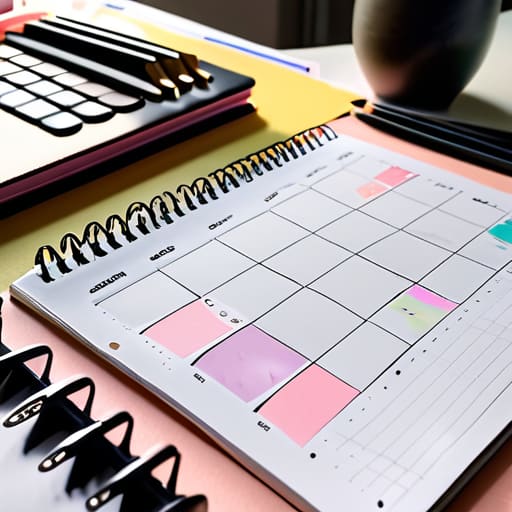
We’ve all been there: you spend three hours picking out the perfect pastel highlighters and a digital template that looks like a piece of art, only to realize you haven’t actually done anything on your list. That’s the trap. When you focus more on the aesthetic of your daily productivity planner than the actual utility of your tasks, you’re just performing “productivity theater.” You aren’t actually organizing your life; you’re just decorating your stress. A pretty layout feels good for about five minutes, but it doesn’t account for the reality of a mid-afternoon brain fog or a sudden system crash.
The problem is that most “aesthetic” schedules are too rigid to survive a real human day. They lack the buffer zones needed for optimizing workflow efficiency because they assume you’re a robot that never gets interrupted. If your schedule is a masterpiece of color-coding but doesn’t allow for the messy reality of shifting priorities, it’s going to fail you by Tuesday. Instead of chasing that perfect visual flow, you need to focus on task batching vs time blocking to see what actually fits your rhythm. Stop trying to curate a gallery and start building a system that can actually take a hit when things go sideways.
Moving Past Fluff Toward Proven Time Management Strategies

Look, I’m not here to sell you a $50 leather-bound journal that’s just going to end up gathering dust on your shelf. If you want to actually move the needle, you need to stop treating your schedule like a scrapbooking project and start treating it like a system. One of the most effective ways to do this is by understanding task batching vs time blocking. While blocking is about dedicating a specific window to a single category of work, batching is about grouping similar, small tasks together—like answering all your emails at once or handling all your administrative chores in one go. This prevents that constant, soul-crushing context switching that makes your brain feel like it has forty tabs open at once.
Once you’ve stopped the frantic multitasking, you can actually implement some real deep work productivity techniques. This means carving out non-negotiable chunks of time where your phone is in another room, your notifications are silenced, and you are actually doing the thing you said you’d do. It’s not about being a robot; it’s about protecting your focus so you don’t spend your entire afternoon fighting a losing battle against distractions. When you build your day around these intentional rhythms, you aren’t just managing time—you’re actually reclaiming your sanity.
How to Actually Block Your Time Without Losing Your Mind
- Stop over-scheduling every single minute. If you try to account for every breath you take, you’re going to burn out by Tuesday. Leave “buffer blocks”—empty, unscheduled chunks of time—to handle the inevitable chaos, like a sudden server crash or just a much-needed coffee refill.
- Group your similar tasks together. My brain hates context switching. If I have to jump from answering emails to debugging code to filming a quick video, I lose momentum. Instead, block out one big chunk for “Admin/Communication” and another for “Deep Work.”
- Respect your energy levels, not just the clock. I’ve learned the hard way that trying to do heavy analytical work at 3 PM when my brain is basically mush is a waste of time. Do your hardest, most brain-intensive tasks when you’re actually sharp, and save the mindless stuff for your afternoon slump.
- Use “Thematic Days” if your freelance life feels like a mess. I try to dedicate specific days to specific types of brainpower—like “Client Work Days” versus “Content Creation Days.” It stops that feeling of being pulled in ten different directions at once.
- Keep your blocks realistic, not aspirational. Don’t give yourself twenty minutes to write a technical guide just because you think you should be that fast. If a task usually takes an hour, block out ninety minutes. It’s better to finish early and have a win than to constantly feel like you’re failing your own schedule.
Stop Planning, Start Doing
Look, at the end of the day, time blocking isn’t about achieving some zen-like state of perfect organization or having a color-coded masterpiece that looks great on a Pinterest board. It’s about building a functional system that protects your energy and keeps your brain from melting under the weight of a million tiny tasks. We’ve talked about ditching the fluff, moving past the aesthetic traps, and actually carving out chunks of time that respect your real-world constraints. If your schedule feels like a lie, change the blocks. The goal isn’t to follow a rigid, unbreakable script; it’s to create a reliable framework that lets you actually live your life instead of just managing it.
I know the temptation to go back to “winging it” is real, especially when a day goes sideways—and trust me, as someone who spends half her life troubleshooting broken hardware, I know they always do. But don’t let a messy Tuesday convince you that the system is broken. Systems are meant to be repaired, not abandoned. Grab your multi-tool, tweak your blocks, and remember that progress beats perfection every single time. You don’t need a flawless calendar to be productive; you just need a plan that actually works for the person you are, not the robot you think you should be.
Frequently Asked Questions
What do I do when a "fire" breaks out and completely destroys my entire planned schedule for the day?
Look, I get it. You’re mid-flow and suddenly a server crashes or your landlord shows up for an emergency repair. Total chaos. When the “fire” hits, stop trying to salvage the original schedule—it’s dead. Grab your multi-tool, pivot, and do a quick triage. Identify the one thing that must happen to stop the bleeding, handle it, and then rebuild a tiny, realistic plan for the remaining hours. Forget the perfection; just manage the damage.
How much time should I actually leave between blocks so I don't feel like I'm constantly sprinting?
Look, if you schedule your blocks back-to-back like a Tetris game, you’re going to burn out by noon. I always aim for at least 15 minutes of “buffer time” between major tasks. Think of it like a system reboot—it gives you space to grab water, stretch, or handle that random email that just popped up. If you’re transitioning between heavy deep-work sessions, give yourself a solid 30. Don’t sprint; build in the breathing room.
Is it better to block out every single minute of my day, or is that just a recipe for burnout?
If you try to account for every single minute, you’re not building a schedule—you’re building a prison. I’ve been there, and trust me, the second a meeting runs over or your coffee spills, the whole system collapses and you feel like a failure. Leave some “buffer blocks.” Think of it like system overhead; you need breathing room for the unexpected so your day doesn’t crash the moment reality hits.
How do I stop myself from spending more time color-coding my digital calendar than actually doing the work?
Look, I get it. There is something weirdly satisfying about a perfectly color-coded Google Calendar, but it’s a trap. It’s productive procrastination. If you find yourself tweaking hex codes instead of starting your actual tasks, stop. Switch to a “low-fi” system. Use maybe three colors max: one for deep work, one for meetings, and one for life admin. If it takes more than five minutes to set up your day, you’re doing it wrong.