I’m going to say something that might make the productivity gurus cringe: most of the advice you see about achieving inbox zero is absolute nonsense. I’ve spent years troubleshooting messy server architectures and tinkering with finicky analog synths, and I can tell you that if a system requires constant, high-maintenance babysitting just to stay upright, it’s a broken system. I am so tired of seeing people obsess over color-coded folders and complex tagging rituals that take more time to manage than the actual work they’re supposed to be doing. We need to stop treating our email like a digital museum and start treating it like a tool.
I’m not here to sell you on a lifestyle of aesthetic perfection or a magical, empty screen that stays empty for exactly five minutes. Instead, I’m going to show you how to build a functional workflow that actually clears your mental clutter so you can get on with your life. I’ll share the exact, low-maintenance tactics I use to keep my freelance business running without letting my notifications dictate my mood. This isn’t about being a perfectionist; it’s about making your tech work for you, not the other way around.
Effective Inbox Triage for Real World Chaos

Look, the biggest mistake people make is treating their inbox like a permanent to-do list. If you’re trying to process every single message the second it hits your screen, you aren’t managing your time; you’re letting your notifications manage you. To actually survive the day, you need to implement effective inbox triage. Instead of reading every line, I use a “three-second rule”: Is this actionable, is it information I need to save, or is it just noise? If it’s noise, it dies immediately. If it’s information, it goes into a dedicated folder and out of my sight.
I’m a huge advocate for automated email filtering because, honestly, why do manual labor that a script can do for free? I’ve set up rules that automatically shunt newsletters and CC’d threads into a “Read Later” folder. This isn’t about being a digital hoarder; it’s about reducing email overwhelm by ensuring that when I actually sit down to work, I’m only seeing things that require my specific brainpower. Stop treating your primary view like a junk drawer and start treating it like a high-priority command center.
The Truth About Digital Minimalism for Professionals
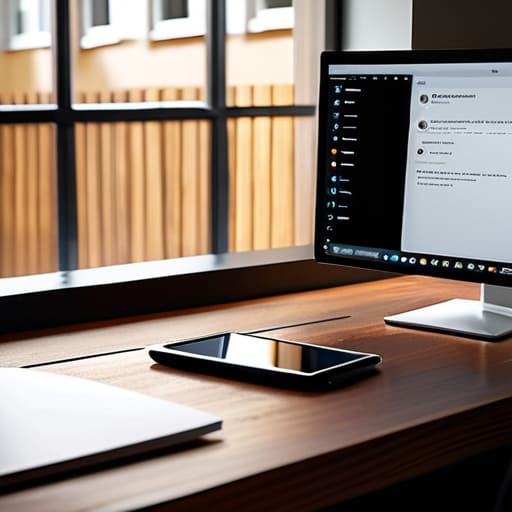
Here’s the thing: most people treat digital minimalism like it’s some aesthetic lifestyle choice—all beige desk mats and zero notifications. But for those of us actually working, that’s not a strategy; it’s a fantasy. True digital minimalism for professionals isn’t about deleting every app on your phone; it’s about reclaiming your cognitive bandwidth. When your screen is constantly pinging, you aren’t “connected”—you’re just being interrupted. I’ve learned that if your tools are constantly demanding your attention, they aren’t tools anymore; they’re masters.
To actually make this work, you have to stop trying to “manage” the noise and start building barriers. I’m talking about implementing automated email filtering to shunt the non-essentials into folders you only check on your own terms. If a newsletter doesn’t help you do your job or keep you sane, it shouldn’t even hit your primary view. We need to move away from the idea that being “on” means being available 24/7. Real productivity happens in the gaps between the pings, and if you don’t protect those gaps, you’ll spend your entire career just reacting to other people’s agendas instead of actually building your own.
Five Ways to Stop Drowning in Your Own Notifications
- Stop using your inbox as a to-do list. If an email requires more than two minutes of work, move it to a dedicated task manager or a simple sticky note. Your inbox is for communication, not for managing your entire life’s workload.
- Embrace the “Unsubscribe” button like your sanity depends on it. Every time a newsletter hits your inbox and you don’t actually read it, don’t just delete it—kill the source. If you haven’t opened a brand’s email in three weeks, you don’t need it.
- Set specific “check-in” windows instead of living in a state of constant interruption. I treat my email like a physical mailbox; I don’t stand by the curb waiting for the mail carrier every five minutes. Check it, process it, then close the tab.
- Use aggressive filters to do the heavy lifting for you. If you know certain notifications are just “FYI” noise, set up a rule to skip the inbox and go straight to a “Read Later” folder. You can look at them when you actually have the bandwidth, not when a ping tells you to.
- Don’t be afraid of the “Archive” button. If you’ve read it and there’s no immediate action required, archive it. It’s not deleted—you can still search for it later if you’re in a panic—but it’s out of your sight and out of your way.
Stop Chasing Perfection and Start Living
At the end of the day, Inbox Zero isn’t some holy grail of productivity that you reach once and then stay in forever; it’s just a way to keep the chaos from becoming overwhelming. We’ve covered how to triage your incoming mess, how to strip away the digital clutter that doesn’t actually serve your career, and why you need to stop letting your inbox dictate your mental bandwidth. Remember, the goal isn’t to have a perfectly empty screen every single second of the day—it’s about building a system that allows you to respond with intention rather than just reacting to every ping and notification that hits your phone.
I know it feels easier to just let the unread count climb and hope it goes away, but that’s just a recipe for burnout. You deserve a digital workspace that supports your brain instead of draining it. Don’t get caught up in the “aesthetic” of a clean desktop if it means you’re spending three hours a day organizing folders instead of actually doing your work. Focus on the functionality of your flow. Once you stop treating your email like a boss you have to please and start treating it like a tool you control, everything else in your life starts to feel a little more manageable.
Frequently Asked Questions
Does "inbox zero" actually mean I have to delete everything, or can I just archive it?
Please, do not delete everything. That sounds like a recipe for a panic attack when you realize you actually needed that one receipt from three months ago.
How do I stop my inbox from immediately blowing up again five minutes after I clear it?
The reason it’s blowing up is that you’re treating the symptoms, not the disease. You’re clearing the clutter, but you aren’t plugging the leaks. You need to aggressively audit your subscriptions and, more importantly, your “auto-reply” habits. If you’re replying to every single “thanks!” or “got it!” email, you’re just feeding the beast. Stop being so polite to machines. Use filters to shunt notifications into a “to read later” folder so they don’t hit your primary view.
Is it even possible to maintain this kind of system if my job requires me to be constantly responsive?
Honestly? It’s not about being “always on”—it’s about being intentional. If your job demands responsiveness, you can’t ignore the noise, but you can stop letting it dictate your rhythm. Instead of reacting to every ping like it’s an emergency, set up “active windows.” Use tools to batch notifications so you’re hitting back hard during specific bursts, rather than letting your focus bleed out all day. Control the flow; don’t let it control you.
At what point does obsessing over my email stop being productive and start becoming a total time-sink?
It becomes a time-sink the second you’re “organizing” instead of “acting.” If you’re spending twenty minutes color-coding folders or debating which sub-label a newsletter belongs in, you’re just procrastinating under the guise of productivity. Real efficiency is about clearing the path to do your actual work. If your email management is taking more energy than the tasks the emails are actually about, your system isn’t helping you—it’s just a digital hamster wheel.