Stop letting those “tech gurus” convince you that you need to drop three hundred bucks on a flashy new mesh system just to get a decent signal. It’s honestly exhausting how much gatekeeping goes into basic connectivity; most of the time, the problem isn’t your budget, it’s your setup. I spent way too many nights staring at a spinning loading icon while trying to upload a simple video, convinced I needed a complete hardware overhaul, only to realize I didn’t actually know how to fix slow wifi in the first place. You don’t need a degree in network engineering or a massive credit card limit to get your internet back to a functional state.
I’m not here to sell you on aesthetic gadgets that look cool on a shelf but do nothing for your bandwidth. Instead, I’m going to walk you through the actual stuff that works—the kind of low-effort, high-impact tweaks I use in my own home to keep my systems running smoothly. We’re going to strip away the jargon and focus on practical, no-nonsense solutions that actually move the needle. Let’s get your connection sorted so you can get back to your life.
Get Real Internet Speed Test Results First

Before you start tearing apart your walls or buying expensive new gear, you need to know what you’re actually working with. I’ve seen so many people jump straight to buying a new router when the issue was actually just a bad signal in one specific corner of their apartment. You can’t fix a problem if you haven’t measured it first. Grab your phone or laptop and run a few different internet speed test results—ideally, do one while standing right next to your router and another in the room where your connection usually dies.
If you notice a massive drop-off between those two tests, you’ve officially confirmed that your issue is likely signal strength or interference rather than the service coming from your ISP. This is where we stop guessing and start troubleshooting. Are you seeing a huge gap? Then we’re likely looking at a need for better wifi router placement tips or maybe a look at your frequency settings. Once you have those baseline numbers, you can actually tell if a simple reboot worked or if you’re dealing with something more systemic, like a hardware bottleneck.
Smart Wi Fi Router Placement Tips That Actually Work
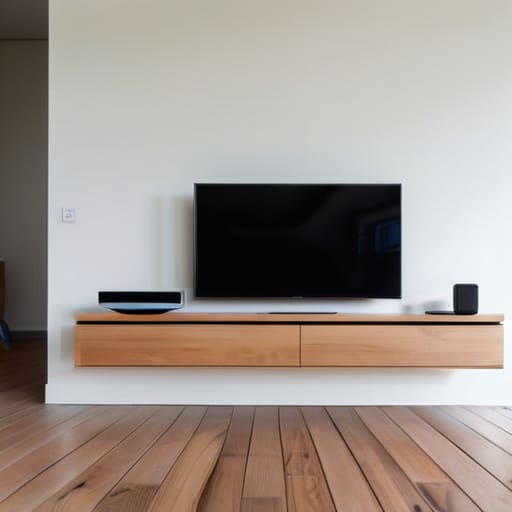
Look, I get it. You want to hide your router in a cabinet or tuck it behind the TV to keep your setup looking clean and minimalist. But if you’re doing that, you’re basically putting your internet in a straightjacket. Wi-Fi signals are like light; they don’t like traveling through thick walls, metal, or heavy furniture. For the best results, you need to get that router out into the open and, ideally, elevated. Placing it on a shelf or a high table helps the signal broadcast down and out rather than getting swallowed up by your couch.
You also need to be mindful of what’s sitting right next to your gear. Microwaves, baby monitors, and even some Bluetooth speakers can significantly reduce wireless interference, causing those annoying lag spikes right when you’re in the middle of something important. If you find yourself struggling with dead zones in a larger space, don’t just blindly buy a cheap signal booster. You should really weigh the pros and cons of a wifi extender vs mesh system based on your actual floor plan. A mesh system is usually the better move for a seamless connection, but only if you place the nodes strategically to bridge the gaps.
5 Quick Fixes to Stop the Lagging
- Check your frequency bands. Most routers broadcast two signals: 2.4GHz and 5GHz. If you’re sitting right next to the router, switch your device to the 5GHz band—it’s way faster. If you’re moving through walls, stick to 2.4GHz because it handles distance and obstacles much better.
- Audit your bandwidth hogs. Sometimes it’s not your connection; it’s just that your roommate is downloading a 100GB game update or your smart TV is streaming 4K in the other room. Check your router’s app to see who’s eating all your data and throttle them if you have to.
- Update your firmware (don’t skip this). I know, nobody likes a “system update” notification, but outdated router software is a massive bottleneck. Log into your router’s admin panel and check for updates; it’s like giving your network a much-needed brain transplant.
- Change your Wi-Fi channel. If you live in an apartment, everyone’s router is likely fighting for the same airwaves, which causes massive interference. Use a free Wi-Fi analyzer app to see which channels are crowded and manually switch yours to a less congested one.
- Stop using old hardware. If your router is more than four or five years old, it probably can’t handle the sheer amount of devices we all carry now. You can’t fix a hardware limitation with software tweaks; sometimes, you just need to bite the bullet and get a modern Wi-Fi 6 router.
Stop Stressing the Signal
Look, fixing your Wi-Fi isn’t about buying the most expensive, glowing RGB router on the market; it’s about working smarter with what you’ve already got. We’ve covered the essentials: run a real speed test so you aren’t chasing ghosts, move that router out of the junk drawer and into an open space, and don’t be afraid to do the classic “unplug and wait” move when things get glitchy. Most of the time, your connection issues aren’t some mysterious technical failure—they’re just simple physics or a bit of digital clutter that needs a quick reset. Once you stop fighting the hardware and start managing your environment, things usually start to click.
At the end of the day, my goal isn’t to turn you into a network engineer, but to help you reclaim your time and your sanity. Technology should be a tool that serves you, not a source of constant, low-grade frustration every time you try to stream a show or hop on a call. Don’t let a slow connection make you feel like you’re bad at tech; it’s usually just a system that needs a little tuning. Take it one step at a time, keep your setup functional, and stop letting the little things win. You’ve got this.
Frequently Asked Questions
I’ve tried moving the router, but my signal is still dead in the bedroom; do I actually need a mesh system or is that just a money pit?
Look, I get it. You’ve played the “move the router three inches to the left” game and it’s still not cutting it. Honestly? It depends. If your place is a sprawling layout or has thick, soul-crushing walls, a mesh system is a lifesaver, not a money pit. But if you’re just in a slightly larger apartment, try a cheap Wi-Fi extender first. Don’t drop hundreds until you’ve ruled out the low-cost fixes.
Is it actually worth changing the Wi-Fi channel in my settings, or is that just something tech nerds do to feel important?
Honestly? It’s not just for tech nerds to feel superior, but you don’t need to obsess over it daily either. Think of it like trying to have a conversation in a crowded bar; if everyone is shouting on the same frequency, you’re going to struggle to hear anything. If you live in a dense apartment complex, switching channels can actually clear up that digital noise. It’s worth a quick check if your connection feels jittery.
How do I know if my old laptop is the reason my internet feels slow, or if it’s actually the service provider's fault?
The easiest way to tell? Run a speed test on your phone while standing right next to the router. If your phone is hitting the speeds you actually pay for, but your laptop is still crawling, you’ve found your culprit. It’s likely an outdated wireless card or a driver issue in that old machine. If both are struggling, it’s time to call your ISP and start making them do their jobs.
Does having a bunch of smart home gadgets like bulbs and plugs actually clog up my bandwidth and slow everything down?
Short answer: Not really, but they can definitely cause a headache. Most smart bulbs and plugs use very little data—they aren’t streaming 4K video—so they won’t “eat” your bandwidth. The real issue is congestion. If you have fifty devices all fighting for a connection on the same frequency, your router starts sweating. If your Wi-Fi feels sluggish, it’s likely a “traffic jam” of devices rather than a lack of actual speed.