Can we please stop pretending that a $500 ergonomic chair and a curated collection of pastel-colored organizers are the secrets to productivity? I’m so tired of seeing these hyper-aesthetic, “minimalist” desk setups on my feed that look like they belong in a museum rather than a workspace. If you actually tried to work there, you’d probably trip over a cable or realize you have zero place to put a coffee mug. Most of the home office setup ideas being pushed right now are just expensive ways to make your space look good for a camera, completely ignoring the actual friction of a daily workflow.
I’m not here to sell you a lifestyle or a specific brand of overpriced tech. Instead, I want to show you how to build a workspace that actually supports your brain and your body without breaking the bank. We’re going to talk about cable management that actually works, lighting that won’t give you a migraine, and how to organize your gear so you can get things done instead of just rearranging your pens. Let’s strip away the fluff and focus on building a setup that actually functions for your real life.
Prioritize Function Over Form With Remote Work Furniture Essentials
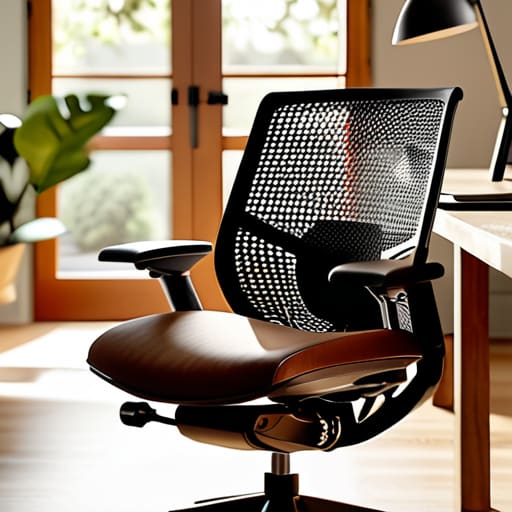
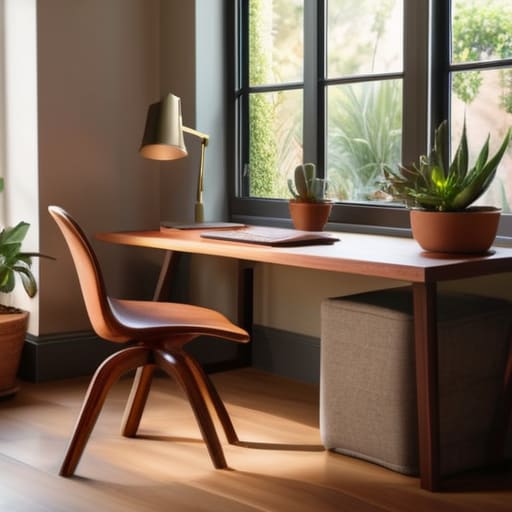
Look, I get it. You see those “desk setup” videos on TikTok where everything is a specific shade of beige and the cables are magically invisible. It looks great for ten seconds, but once you actually start working, that setup usually falls apart. When I’m picking out remote work furniture essentials, I don’t care if the chair matches my rug; I care if my lower back is going to scream at me by 3:00 PM. If you’re looking for ergonomic desk chair recommendations, stop looking at the sleek, mid-century modern wooden ones that look pretty in photos. They’re basically torture devices for an eight-hour shift. Find something with actual lumbar support and adjustable armrests—even if it looks a little “corporate.”
The same goes for your desk surface. You don’t need a massive mahogany beast to be productive. If you’re working in a studio apartment, focus on small space office organization instead of just buying a bigger table. A slim, sturdy desk with a built-in cable management tray will do more for your sanity than a designer piece that leaves your cords tangling like a bird’s nest. Build for your workflow, not for the ‘gram. If you need space for a laptop and a tablet, get a desk that fits that specific footprint. Your goal isn’t to curate a museum; it’s to create a cockpit that actually lets you fly.
Why Minimalist Home Office Decor Is Actually a Productivity Tool
Look, I get the appeal of the “maximalist desk” trend—the neon lights, the collection of designer figurines, the mountain of tech gadgets. It looks great in a 15-second TikTok transition, but in reality? It’s just visual noise. When my eyes are constantly jumping from my monitor to a random trinket or a pile of unorganized cables, my brain never actually settles into a flow state. I’ve learned that minimalist home office decor isn’t about living in a sterile white box; it’s about removing the friction between you and your work.
If you’re struggling with focus, try an audit of your immediate line of sight. If an object doesn’t serve a functional purpose or genuinely ground you, it’s probably just a distraction in disguise. I’m a huge advocate for small space office organization because when your physical environment is streamlined, your mental processing feels lighter. You don’t need a massive mahogany desk to be productive; you just need a surface that isn’t fighting you for attention. Clear the clutter, keep your essential tools within arm’s reach, and let your brain do the heavy lifting instead of trying to process a messy room.
Five Ways to Stop Fighting Your Workspace and Start Using It
- Manage your cable chaos before it becomes a tripping hazard. I don’t care if a “cable management box” looks slightly less sleek; if your feet are tangling in a nest of power strips every time you move your chair, your brain is going to feel just as cluttered. Use Velcro ties—not zip ties—so you can actually change things later without a pair of scissors and a prayer.
- Light is non-negotiable, but skip the “vibey” neon signs. If you’re working in a dark corner with just a single warm lamp, your eyes are going to be fried by 2 PM. Aim for layered lighting: natural light from a window if you can swing it, a decent task lamp for when the sun goes down, and maybe one soft ambient light so you don’t feel like you’re working in a cave.
- Stop treating your desk like a storage unit. If you haven’t touched a piece of tech or a notebook in three days, it shouldn’t be sitting in your immediate reach. I’ve learned the hard way that a “clear desk” isn’t about having nothing on it; it’s about having only the tools you actually need for the task at hand. Everything else belongs in a drawer or on a shelf.
- Invest in your physical interface—meaning your chair and your peripherals. You can have the most aesthetic desk in the world, but if your wrists ache from a cheap mouse or your back is screaming because you’re sitting on a wooden kitchen chair, you aren’t being productive; you’re just suffering. Buy a second-hand high-end ergonomic chair if you have to; it’s better for your spine and your wallet.
- Create a “digital hygiene” zone. Your home office isn’t just physical; it’s how your files are organized. If your desktop is a graveyard of unsorted screenshots and “final_final_v2” documents, your physical setup is only doing half the work. Set up a simple folder hierarchy and a routine to clear your downloads folder every Friday. It sounds tedious, but your future self will thank you.
Stop Aiming for Perfection, Start Aiming for Function
At the end of the day, your home office shouldn’t look like a staged showroom from a tech catalog; it should look like a place where things actually get finished. We’ve covered why you need to ditch the aesthetic-first mentality and focus on ergonomic essentials that won’t wreck your back by 3 PM. We talked about how stripping away the visual clutter isn’t just about being “minimalist”—it’s about removing the mental friction that stops you from entering a flow state. Whether you’re investing in a solid chair or just clearing off a corner of your dining table, the goal is the same: build a system that supports your brain, not just your Instagram feed.
Don’t get paralyzed by the idea that you need to buy every single gadget on a “must-have” list to be productive. Most of the time, the best upgrade you can make is simply organizing what you already own and making sure your tools are within reach when you need them. Real productivity isn’t about having the most expensive setup; it’s about having a reliable environment that stays out of your way. So, grab your multi-tool, clear the junk off your desk, and start building a space that actually works for you. You’ve got this.
Frequently Asked Questions
I don't have a dedicated room for an office; how can I set up a productive workspace in a tiny corner or a shared living area?
Look, I’ve spent plenty of nights troubleshooting servers from a kitchen table, so I get it. If you don’t have a spare room, stop trying to force one. Instead, lean into “zoning.” Use a small rolling cart for your tech gear so you can tuck it away when you’re done, or grab a sturdy folding desk that doubles as a console. The goal isn’t a permanent office; it’s a mobile, functional station.
What are some budget-friendly ways to upgrade my tech setup without spending a fortune on fancy gadgets?
Honestly, stop looking at those $500 mechanical keyboards for a second. Most of the time, a “tech upgrade” is just better organization. Grab some cheap cable clips or even just Velcro ties to hide the spaghetti pile behind your desk—it instantly clears mental clutter. Also, try a second monitor if you can find a used one on Marketplace, or even just a cheap laptop stand to get your screen at eye level. It’s about ergonomics, not aesthetics.
How do I manage all the messy cables and wires so they don't become a constant distraction or a total eyesore?
Look, cable spaghetti is the ultimate productivity killer. It’s visual noise that makes your brain feel cluttered. First, stop trying to hide them behind heavy furniture; just manage them. Grab some velcro ties—not those plastic zip ties that you can’t undo later—and bundle your wires into neat tracks. Use a cable management tray under your desk to keep power strips off the floor. If it’s tucked away and organized, your brain can finally stop noticing it.
Is it actually worth investing in an ergonomic chair, or can I just make do with what I already have at home?
Look, I get it. A high-end ergonomic chair can cost as much as a decent used synth, and that’s a tough pill to swallow. If you’re currently sitting on a dining chair, try a lumbar pillow or a rolled-up towel first to see if that helps your posture. But if you’re feeling that constant lower back ache by 3 PM, save up. Your spine isn’t a piece of hardware you can just swap out later.