I spent three hours last night watching “productivity gurus” on TikTok explain how to use five different color-coded apps and a custom-built digital garden just to remember a grocery list. Honestly? It’s exhausting. We’ve been sold this lie that the “perfect” system is some high-maintenance, aesthetic masterpiece that requires a degree in software engineering to maintain. But here’s the truth: most of those complex note taking methods are just fancy ways to procrastinate. If your system requires more upkeep than the actual work you’re doing, it isn’t a tool—it’s a chore.
I’m not here to sell you on a subscription service or a $50 planner that looks pretty on a desk but fails when life gets messy. I want to show you how to build a system that actually survives a chaotic Tuesday. I’m going to break down a few functional note taking methods based on what actually works when you’re deep in a coding sprint or just trying to keep your life from imploding. We’re going to focus on utility over aesthetics, so you can spend less time organizing your thoughts and more time actually using them.
Ditch the Fluff for the Cornell Note Taking System
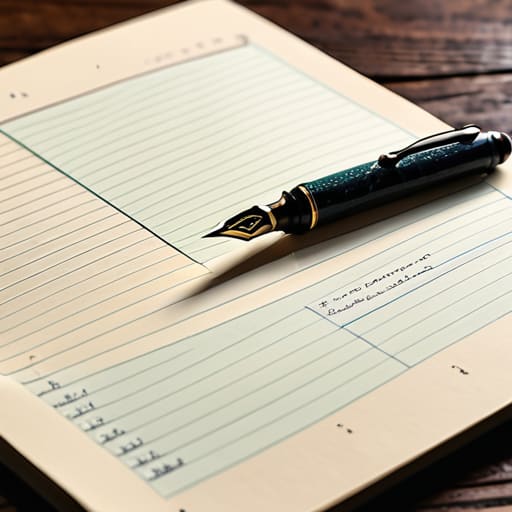
If you’ve ever stared at a page of frantic, scribbled sentences and realized you have absolutely no idea what they mean ten minutes later, you need the Cornell note taking system. I used to think I was being productive by trying to transcribe every single word a speaker said, but that’s just high-speed stenography, not learning. The Cornell method forces you to stop being a passive observer and actually engage. By dividing your page into specific zones—a narrow column for cues, a wide area for notes, and a summary box at the bottom—you’re building a built-in review system.
The magic happens when you stop treating your notebook like a storage unit and start treating it like a tool. Instead of just dumping data, you use that cue column to write down questions or keywords that trigger your memory. This shift is what turns basic scribbling into one of those effective study techniques that actually sticks in your brain. It’s less about how much you can write and more about how quickly you can retrieve the info when you actually need it. It’s a bit more structure than a messy brain dump, but trust me, your future self will thank you when you aren’t re-reading the same paragraph five times just to grasp the gist.
Digital vs Analog Note Taking Choosing Your Real World Tool
Look, I get the pull of the iPad Pro with the fancy stylus. It feels sleek, and having every single lecture note searchable in a cloud database sounds like a productivity dream. But as someone who spends half my life troubleshooting server configurations, I’ve learned that complexity is often the enemy of execution. If you spend more time color-coding your digital folders and tweaking your font settings than actually processing the information, you’re just performing “productivity theater.” Digital tools are incredible for organization and quick retrieval, but they can also become a massive distraction that pulls you away from the actual moment.
On the flip side, there is something almost primal about a physical notebook. When I’m practicing active listening and note taking during a complex technical briefing, there’s no temptation to tab over to a browser or check a notification. The friction of a pen on paper forces your brain to slow down and actually synthesize what’s being said. If you’re someone who struggles with focus, choosing the analog route might be your best bet for deep work. Ultimately, the debate of digital vs analog note taking isn’t about which one is “better”—it’s about which one keeps you from getting lost in the interface and helps you actually retain the data.
Stop Overcomplicating It: 5 Real-World Rules for Better Notes
- Stop trying to transcribe every single word like you’re a court reporter. You aren’t a stenographer; you’re a human trying to learn. Focus on the “why” and the “how” rather than the verbatim script, or you’ll end up with a massive wall of text that you’ll never actually read again.
- Build a “Searchable Index” even if you’re using a paper notebook. If you’re a physical note taker, leave the first three pages blank to create a manual Table of Contents. Trust me, nothing is more frustrating than knowing you wrote something brilliant three weeks ago but having to flip through fifty pages to find it.
- Use the “One-Minute Review” rule. After a meeting or a study session, spend sixty seconds—literally one minute—highlighting the three most important takeaways. It’s a tiny bit of effort that prevents your notes from becoming a graveyard of forgotten information.
- Don’t let “aesthetic” be your enemy. I see people spending hours choosing the perfect highlighters or digital fonts, and it’s a massive productivity trap. If your notes are legible and they help you recall info, they’re successful. Period.
- Create a consistent shorthand that actually works for you. Whether it’s a specific symbol for “to-do” items or an arrow to show a connection between ideas, develop a personal code. It saves your brain from the heavy lifting of writing out full sentences when you’re in the zone.
Stop Overthinking It and Just Start
At the end of the day, whether you’re leaning into the structured logic of the Cornell method or deciding that a beat-up Moleskine feels more intuitive than a Notion database, the goal remains the same: retrieving information when you actually need it. We’ve covered the heavy hitters, from digital syncing to analog tactile feedback, but the “perfect” system doesn’t exist in a vacuum. It only exists if it actually fits into your workflow without becoming a chore in itself. Don’t let the fear of choosing the “wrong” method paralyze you; the best system is simply the one that doesn’t feel like extra work.
I spent way too many years trying to curate the most aesthetically pleasing digital workspace, only to realize I was spending more time tweaking fonts than actually learning anything. Trust me, your notes don’t need to look like a Pinterest board to be effective. They just need to be a reliable bridge between your brain and your future self. So, grab a pen, open a blank doc, and just start writing. Once you have a baseline, you can iterate, troubleshoot, and refine your system just like any other piece of tech. You’ve got this.
Frequently Asked Questions
How do I stop myself from spending more time decorating my notes than actually learning the material?
Honestly? You have to treat your notes like a functional system, not an art project. I used to get stuck in “aesthetic loops” too, but I realized that if I spent twenty minutes picking a highlighter color, I wasn’t actually processing the lecture. Set a hard rule: use one pen and one notebook. If it doesn’t help you recall the info during a review, it’s just clutter. Prioritize utility over vibes every single time.
If I go digital, which apps are actually worth the subscription fee and which ones are just hype?
Look, I’m all about efficiency, not paying for digital clutter. If you’re just scribbling quick thoughts, stick to Obsidian or Notion—they’re powerhouse free tiers that won’t drain your bank account. Don’t fall for the hype of “all-in-one” ecosystem subscriptions unless you’re deeply embedded in Apple or Google. Honestly? Only pay for a subscription if the tool solves a specific bottleneck in your workflow. If it’s just “pretty,” it’s probably not worth the monthly fee.
I have a massive backlog of messy, unorganized notes—how do I start cleaning them up without losing my mind?
Look, I’ve been there—staring at a digital graveyard of half-finished thoughts and scribbled scraps. Don’t try to organize everything at once; you’ll burn out by lunch. Start with a “triage” approach. Pick one category—just one—and move the useful stuff into a fresh system while archiving the rest. If a note doesn’t spark an immediate action or a useful reference, let it go. Your goal isn’t a perfect archive; it’s a functional one.
Is it even possible to use a hybrid system, or will mixing paper and digital just create more chaos?
It’s absolutely possible, and honestly, it’s how I live my life. You don’t have to pick a side. I use paper for rapid-fire brainstorming or when I’m away from my desk—it keeps me focused without the distraction of tabs. Then, I scan those notes into my digital workspace for long-term storage and searchability. The trick is having one “source of truth” where everything eventually lands so you aren’t hunting through random notebooks.