I’m so tired of seeing those “aesthetic” desk setups on TikTok—you know the ones, with the $200 designer candles, perfectly color-coded stationery, and enough minimalist decor to make a museum look cluttered. It’s total nonsense. If you’re actually trying to master productivity working from home, you don’t need a curated lifestyle; you need a setup that doesn’t fall apart when your Wi-Fi hiccups or your coffee goes cold. I spent years thinking I needed the “perfect” environment before I could actually get anything done, but I eventually realized that functional systems beat pretty things every single time.
In this post, I’m stripping away the gatekeeping and the expensive fluff to give you the actual, gritty tactics I use to keep my freelance life from spiraling into chaos. We aren’t talking about time-blocking theories that sound great on paper but fail the moment your laundry starts calling your name. Instead, I’m sharing the no-nonsense, battle-tested systems I’ve built to make sure my tools work for me, not the other way around. Let’s build a workflow that actually functions in the real world.
Ditch the Decor for an Ergonomic Home Office Setup
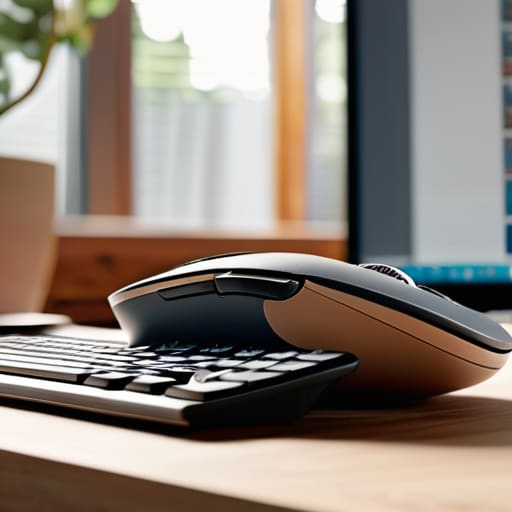
Look, I get it. You see those “aesthetic desk setups” on TikTok with the perfectly placed succulents, the custom mechanical keyboards, and the warm, ambient lighting that looks like a cozy cafe. But here’s the truth: a pretty desk won’t save your lower back from a screaming ache by 3:00 PM. If you’re spending eight hours a day hunched over a laptop on a kitchen stool, you aren’t being productive; you’re just slowly breaking your body. An ergonomic home office setup isn’t about how it looks in a square photo; it’s about how your spine feels when you finally close your laptop at the end of the day.
Invest in a chair that actually supports your lumbar, and if you can swing it, get a monitor riser so you aren’t staring down at your chest all day. I’ve spent way too many hours hunched over vintage synths and old server racks, and I can tell you firsthand that physical discomfort is the ultimate productivity killer. When your neck is stiff and your wrists are cramping, your brain is too busy managing pain to actually focus on your tasks. Prioritize function over flair—your future, less-sore self will thank you.
Minimizing Home Distractions With Systems Not Willpower
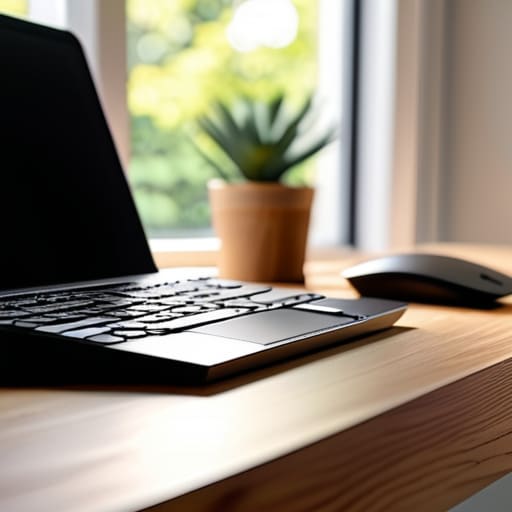
Here’s the thing: relying on willpower to stay focused is a losing battle. You can tell yourself a thousand times that you won’t check your phone or start a load of laundry, but eventually, your brain is going to cave. Instead of trying to be a superhero of self-control, you need to focus on minimizing home distractions by building physical and digital barriers. If your phone is sitting right next to your keyboard, you’ve already lost. I started using a “phone jail” drawer—literally just a box in another room—and it changed everything. When the temptation isn’t in your line of sight, you don’t have to fight it.
The same logic applies to your digital space. We talk a lot about digital wellness for remote employees, but that’s often just code for “don’t burn out.” For me, it means setting hard rules for my notifications. I use specific focus modes on my laptop that kill everything except my essential remote team communication tools during deep-work blocks. If a notification isn’t critical to the task at hand, it doesn’t exist. By automating these boundaries, you stop leaking mental energy on trivial pings and start actually getting your work done.
Five ways to stop fighting your environment and start actually working
- Stop treating your inbox like a to-do list. If you spend your whole morning reacting to every ping, you’re not working; you’re just playing defense. Set specific windows for email so you can actually focus on the deep stuff.
- Build a “shutdown ritual” to bridge the gap between work and life. Since your office is probably ten feet from your bed, you need a physical cue—like closing your laptop and putting it in a drawer—to tell your brain the workday is officially dead.
- Automate the boring stuff before you burn out. Whether it’s using text expansion tools for repetitive emails or setting up a smart plug to turn off your work lights at 6 PM, let your tech handle the mental load.
- Use a “single-tasking” stack. We love our browser tabs, but having twenty open is just digital clutter that creates micro-anxiety. Stick to one window for the task at hand and use a separate browser profile for your personal stuff to keep the boundaries clean.
- Prep your “analog fallback.” Sometimes the Wi-Fi dies or a software update takes forever, and that’s when productivity goes to zero. Keep a physical notebook or a single printed task list handy so you can keep moving even when the tech decides to act up.
Getting Real About Your Results
At the end of the day, productivity isn’t about having a $500 mechanical keyboard or a perfectly curated plant corner. It’s about the boring, unglamorous stuff: setting up a chair that won’t wreck your back, building systems that catch you when your willpower inevitably fails, and ruthlessly cutting out the digital noise. We’ve covered how to prioritize function over aesthetics and why your environment needs to serve your workflow rather than just looking good on a camera lens. If your setup is ergonomic and your distractions are managed, you’ve already won half the battle.
Don’t get discouraged if your first attempt at a new system feels clunky or if you slip back into old, chaotic habits. I spend half my time troubleshooting my own setups, and trust me, it’s a constant process of trial and error. The goal isn’t to achieve some mythical state of “perfect focus”—it’s just to build a life that actually functions so you can get your work done and then actually enjoy your downtime. Grab your multi-tool, tweak your setup, and stop waiting for the “perfect” moment to start. You’ve got this.
Frequently Asked Questions
How do I actually separate "work mode" from "home mode" if I live in a studio apartment or a tiny space?
Living in a studio means your “office” is also your bedroom, which is a recipe for burnout. Since you can’t build a wall, you have to build mental and sensory boundaries. Use a specific “work lamp” that stays off when you’re done, or swap your work headset for noise-canceling buds during deep work. Even a scent change—like a specific candle for work hours—tricks your brain into shifting gears when the physical space stays the same.
What are some low-cost tech fixes for when my home Wi-Fi keeps dropping during important calls?
Look, nothing kills my vibe faster than a frozen screen mid-meeting. Before you drop hundreds on a new mesh system, try these: First, move your router to a central, elevated spot—don’t hide it in a cabinet. Second, if you’re near the router, grab a cheap Ethernet cable; hardwiring is still the undisputed king of stability. Finally, if you’re stuck in a dead zone, a simple Wi-Fi extender can be a lifesaver for under $30.
I struggle with burnout—how do I stop my brain from feeling like it's constantly "on" even after I close my laptop?
The “always on” feeling is usually a sign your brain hasn’t received a clear shutdown command. You need a physical or digital ritual to signal the end of the shift. I personally use a “shutdown sequence”: I close every single tab, clear my desktop, and physically put my laptop in a drawer. It sounds extra, but creating that hard boundary between “work mode” and “life mode” stops the mental loops before they start.
Are there any specific apps or digital tools that actually help with focus without just becoming another distraction?
Look, if an app requires you to spend three hours “optimizing” your workflow, it’s just another form of procrastination. I stick to the basics. For deep work, I use Forest—it turns focus into a little digital garden, which is low-key satisfying. For task management, keep it dead simple with something like Todoist or even just a basic Markdown editor. If the tool feels like a hobby, delete it. Use it, don’t feed it.