I was sitting in a cramped corner of a local cafe last month, trying to push a critical system update for a client, when I got that dreaded notification: Data limit reached. It’s that specific, sinking feeling in your gut when you realize your phone is essentially a brick because you didn’t realize your background apps were essentially leeching your bandwidth in real-time. Most “expert” guides will tell you to just buy a bigger plan or stop using your phone entirely, but that’s total nonsense. You don’t need more data; you need a better system for how to save mobile data so your tech actually serves you instead of draining your bank account.
I’m not here to give you a list of aesthetic “digital detox” tips that don’t actually work. Instead, I’m going to show you the actual, granular settings you need to flip to stop the bleed. We’re going to strip away the fluff and focus on functional fixes—from aggressive background refresh management to smarter streaming habits—that keep your device running smoothly without the constant fear of an overage charge. Let’s get your systems optimized.
How to Monitor Data Usage on Smartphone Instantly
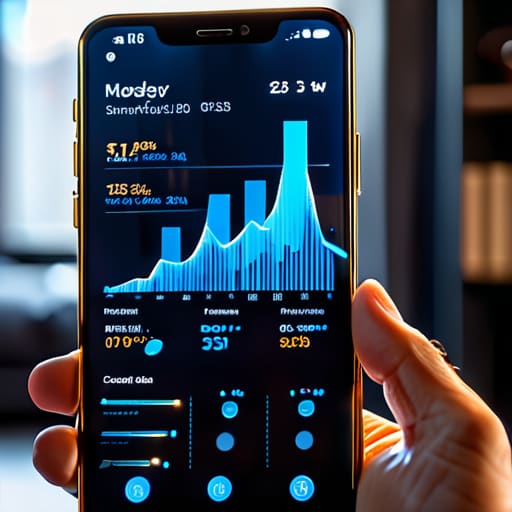
Before you start flipping switches and deleting apps, you need to actually see where the leak is. It’s easy to blame “just browsing Instagram,” but usually, there’s a rogue app running a massive sync in the background that you didn’t even authorize. To monitor data usage on smartphone devices effectively, you don’t need some fancy third-party tracker—your phone already has the receipts.
On an iPhone, head straight to Settings > Cellular. On Android, it’s usually under Settings > Network & Internet > SIMs. This is where the truth comes out. You’ll see a list of every single app and exactly how many megabytes or gigabytes they’ve sucked up. If you see a random game or a utility app sitting at the top of that list with a massive number next to it, you’ve found your culprit.
Once you identify the offenders, it’s time to take action. If an app is eating your data while you aren’t even using it, you need to disable background data usage for that specific program. This stops the app from “talking” to the internet unless you actually have it open on your screen. It’s a simple system tweak that keeps your data plan intact without forcing you to go completely offline.
The Truth About Wifi vs Cellular Data Usage
Here’s the thing: we often treat WiFi and cellular data like they’re the same thing, but your phone treats them very differently. When you’re on WiFi, your device basically goes into “unleashed” mode. It’s the perfect time for those massive OS updates, heavy cloud backups, or downloading entire playlists for your commute. But the second you step out the door and hit LTE or 5G, those same background processes start eating through your monthly allowance like it’s an all-you-can-eat buffet.
The real killer in the wifi vs cellular data usage debate isn’t actually your intentional scrolling; it’s the stuff you don’t even see happening. Apps are constantly pinging servers in the background, refreshing feeds, and updating locations. If you want to stop the bleeding, you have to limit app data consumption manually. I always recommend checking your settings to disable background data usage for any app that doesn’t absolutely need to be “live” 24/7. There is zero reason for a random shopping app to be sucking up your data while your phone is sitting in your pocket.
5 Quick Fixes to Stop the Data Bleed
- Kill the background refresh. Seriously, go into your settings and see which apps are constantly pinging servers while your phone is sitting in your pocket. If an app doesn’t need to update every single second to be useful, tell it to shut up. It’s the easiest way to reclaim your bandwidth without even touching your phone.
- Set your social media apps to “Data Saver” mode. Apps like TikTok and Instagram are absolute data vampires; they’re designed to preload high-def video before you even scroll to it. Switch on the data saver settings in the app itself so you aren’t paying for 4K resolution while you’re just trying to kill five minutes on the bus.
- Stop the auto-play madness. Whether it’s YouTube or Facebook, those auto-playing videos are silent killers. I always make sure auto-play is toggled off so I’m actually making a conscious choice to watch something, rather than letting a random video eat through my monthly allowance while I’m multitasking.
- Download your essentials before you leave the house. If you know you’re going to be commuting or hanging out somewhere with spotty service, download your Spotify playlists and Google Maps areas over WiFi first. It’s much more efficient to use a few hundred MBs of home internet than to let your phone struggle and burn through cellular data trying to stream on the go.
- Audit your cloud syncing. Check your photo and file settings to ensure your phone isn’t trying to upload every single screenshot and blurry photo to iCloud or Google Photos using cellular data. Set your backups to “WiFi Only” so your data plan stays focused on the stuff you actually need to do.
Making It Stick
At the end of the day, saving data isn’t about living like you’re stuck in the dial-up era; it’s about being intentional with the tools you have. We’ve covered how to keep a close eye on your actual usage, the reality of when to rely on WiFi, and how to tweak your settings so your apps aren’t secretly draining your plan in the background. Once you stop the invisible leaks—like those auto-play videos and massive background updates—you’ll find that your data lasts way longer than you ever thought possible. It’s all about setting up systems that work for you, rather than letting your device dictate your monthly expenses.
I know it can feel overwhelming to constantly manage every little digital detail, but remember that the goal here is simplicity, not perfection. You don’t need a complicated spreadsheet to stay on top of this; you just need to make a few small, functional adjustments that stick. When you master these little technical tweaks, you’re not just saving a few bucks on your phone bill—you’re reclaiming control over your digital environment. Stop letting your tech run your life and start making it work on your terms.
Frequently Asked Questions
Will turning off background app refresh actually make a noticeable difference in my monthly bill?
Honestly? It’s a bit of a mixed bag. If you’re someone who constantly jumps between apps, you’ll see a difference, but for most people, it’s more about saving battery than massive data chunks. That said, some apps are total data vampires, constantly pinging servers in the background. Turning it off is a low-effort way to tighten your system and prevent those “mystery” data spikes. It won’t slash your bill overnight, but it definitely helps.
Are there specific apps that are notorious for "stealing" data even when I'm not actively using them?
Honestly, it’s usually the social media giants and the “free” games. Apps like TikTok, Instagram, and Facebook are notorious for background syncing and refreshing feeds even when your phone is just sitting in your pocket. They’re constantly hunting for updates and tracking your location, which eats through your data plan like crazy. If you want to take your power back, check your background refresh settings and kill any app that doesn’t actually need to be online 24/7.
Is it worth it to pay for a data-saving mode on my phone, or is that just another way for carriers to nickel and dime me?
Honestly? It’s almost always a scam. Most “data-saving” plans are just carriers charging you extra for a throttled connection or a restricted set of features. You’re essentially paying a premium to have a worse experience. Instead of handing them more cash, just use the built-in data savers in your iOS or Android settings. They’re free, they work, and they don’t involve a monthly subscription fee just to keep your phone functional.
If I'm using a VPN, does that actually help save data or does it just use more because of the encryption overhead?
Honestly? A VPN is actually going to cost you a little extra data. Because it wraps your traffic in an encryption layer to keep things secure, that “overhead” adds a bit of bulk to every packet sent. It’s like putting your data in a padded envelope instead of a thin paper one—it’s safer, but the package is heavier. If you’re on a super tight data budget, keep the VPN off unless you’re on public WiFi.