I spent way too many years scrolling through “desk setup” videos, convinced that I couldn’t actually get work done until I bought a $400 ergonomic chair and a set of matching pastel organizers. It’s a lie. Most of that content is just high-end interior design masquerading as productivity advice, and frankly, it’s exhausting. If you’re currently staring at a cluttered corner of your room wondering how to build a productive workspace without draining your entire savings account, I promise you, it’s not about the aesthetic. It’s about the utility.
I’m not here to sell you on a lifestyle brand or a specific brand of minimalist lamp. Instead, I’m going to show you how to strip your setup down to what actually matters: ergonomics that don’t hurt, cable management that stops the chaos, and a layout that supports your brain instead of distracting it. We’re going to focus on building a system that is functional, durable, and affordable. Forget the Instagram-ready perfection; let’s build a space that actually helps you get things done.
Essential Tools for Home Office That Actually Last
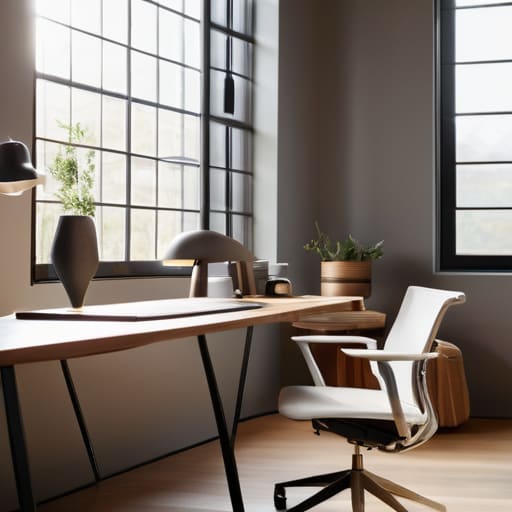
Look, I’m going to be real with you: most “office hauls” on TikTok are just expensive ways to waste money on things that look cool but break in six months. If you want essential tools for home office use that won’t end up in a landfill by next year, you have to prioritize build quality over aesthetics. Start with your chair. Don’t go for the flashy “gaming” thrones that are basically glorified plastic buckets; look for something with actual adjustable lumbar support. It’s the most basic part of ergonomic office setup tips, but if your spine is screaming at you by 3 PM, your productivity is dead in the water regardless of how many fancy gadgets you have.
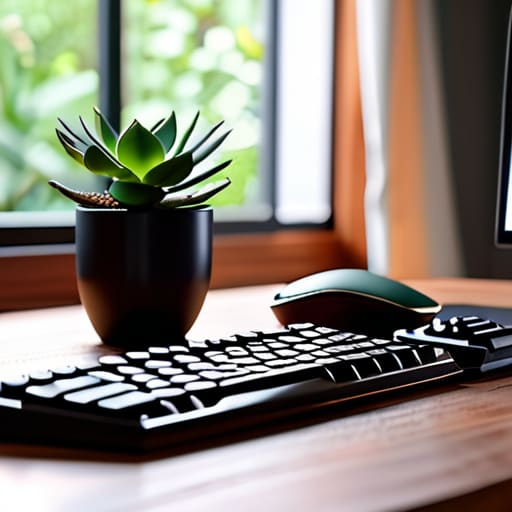
Next, let’s talk about your peripherals. I’ve spent way too many hours tinkering with vintage synths to appreciate a device that feels flimsy. Get a mechanical keyboard that actually responds to your touch and a mouse that fits your hand naturally. Also, don’t sleep on your power situation. I always keep a high-quality surge protector and a spare braided cable nearby because nothing kills a flow state faster than a dead laptop or a flickering monitor. Build your setup with the mindset that these tools are your long-term partners, not temporary props.
Ergonomic Office Setup Tips for Real World Comfort
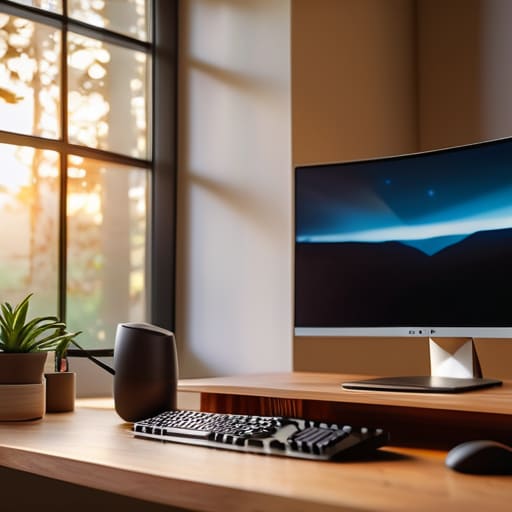
Look, I’m going to be real with you: nobody cares how “minimalist” your desk looks if you’re ending every workday with a literal tension headache. We’ve all seen those Pinterest setups where people sit in these incredibly awkward, stiff positions just to look good for a photo. Forget that. Real comfort is about alignment, not aesthetics. Start with your monitor; if you’re hunching over a laptop all day, your neck is going to pay for it. Get a decent laptop stand or a separate monitor so your eyes are level with the top third of the screen. It sounds basic, but it’s one of those ergonomic office setup tips that actually changes your life once you stop treating your body like a piece of hardware.
Next, let’s talk about your hands and feet. Your elbows should be at a 90-degree angle, and your feet need to be flat on the floor—no dangling legs allowed. If your chair doesn’t do this, grab a footrest or even a stack of old tech manuals until it works. I also can’t stress enough how much improving focus with lighting helps prevent that mid-afternoon eye strain. Avoid harsh overhead lights that create glare on your screen; instead, aim for soft, indirect light that fills the room without blinding you. If your setup feels like a battleground for your joints, you’re never going to get into a flow state.
5 Low-Effort Systems to Stop the Chaos
- Stop the “junk drawer” mentality with your desk. If you haven’t touched a cable or a manual in three months, it doesn’t belong on your desktop. Get a dedicated bin or a drawer for the “maybe” stuff so your immediate workspace stays clear for actual work.
- Manage your digital clutter like you manage your physical space. A desktop covered in random screenshots and “final_final_v2” files is just as distracting as a pile of laundry. Set a five-minute timer every Friday to clear your downloads folder and organize your desktop icons.
- Use “Zone Defense” for your tech. Keep your high-frequency tools—like your mouse, keyboard, and notebook—within an easy arm’s reach, but move your printer, extra monitors, or heavy reference books to a secondary zone. If you have to stand up or stretch to grab it, it shouldn’t be in your primary workspace.
- Optimize your lighting so you don’t feel like a cave dweller. Natural light is the gold standard, but if your setup is in a dark corner, grab a warm-toned desk lamp. Avoid those harsh, blue-tinted overhead lights that make you feel like you’re working in a hospital basement.
- Build a “Shutdown Ritual” to signal the end of your day. When you’re working from home, the lines get blurry fast. Close your tabs, plug in your devices, and physically clear your workspace. It’s not about being tidy; it’s about telling your brain that the “work” system is now offline.
Stop Aiming for Perfection, Start Aiming for Function
At the end of the day, building a productive workspace isn’t about buying every single gadget that pops up on your feed or matching your keyboard to your wall color. It’s about the fundamentals we’ve talked about: getting the right tools that won’t die on you in six months, setting up an ergonomic layout so your back doesn’t feel like it’s eighty years old by noon, and creating a system that actually supports your workflow rather than getting in its way. If you’ve got a reliable chair, a clear desk, and tech that works when you need it, you’ve already won half the battle. Don’t let the “perfect” setup become an excuse to keep procrastinating; just start with what you have and iterate as you go.
Remember, your workspace is a living thing. It’s going to change as your projects shift and your needs evolve, and that is perfectly okay. You don’t need a Pinterest-worthy sanctuary to do incredible work; you just need a space that feels like it belongs to you and respects your time. Stop chasing that unattainable aesthetic perfection and focus on building a setup that makes you feel capable and focused. You’ve got the tools and the plan—now go out there and actually get stuff done.
Frequently Asked Questions
I’ve already spent a bunch on gear, but how do I know if my current setup is actually hurting my posture or if I'm just being dramatic?
Look, I get it. We’ve all had that “is my back actually hurting or am I just being extra?” moment. Here’s the reality check: if you’re finishing a session with a tension headache, tight hip flexors, or that weird tingling in your wrists, you aren’t being dramatic—your setup is failing you. Don’t wait for a chronic injury to tell you your monitor height is trash. If it feels off, it usually is.
My apartment is tiny and I don't have a dedicated office room—can I actually be productive using just a corner of my dining table?
Honestly? Yes. I’ve spent half my career working from kitchen tables in studios that felt more like closets. The secret isn’t having a “command center”; it’s about creating a mental boundary. Get a dedicated laptop stand to lift your screen and a decent external keyboard so you aren’t hunched over like a gargoyle. When the workday ends, pack the tech away. If your tools are always staring at you, you’re never truly off the clock.
How do I manage all the annoying cable clutter without spending a fortune on those expensive cable management kits?
Look, you don’t need a $50 boutique cable management kit to stop your desk from looking like a spaghetti factory. I swear by the cheap stuff. Grab some Velcro cable ties—not the plastic zip ties, because those are a nightmare if you ever need to move gear—and some heavy-duty command hooks to tuck cords under your desk. Even some leftover bread ties or masking tape can work in a pinch. Keep it functional, not fancy.
Is it worth investing in "smart" office tech, or is it just more stuff that’s going to break and add more complexity to my day?
Honestly? Most “smart” office tech is just expensive clutter waiting to fail. If a smart desk or light requires a firmware update just so you can sit down, it’s not a tool—it’s a chore. Only invest if it solves a genuine friction point, like smart plugs for your coffee maker or automated lighting that actually follows your circadian rhythm. If it adds complexity instead of cutting it, leave it on the shelf. Keep it simple.