
I’ve spent way too many late nights staring at a screen, feeling like my brain was a browser with fifty tabs open and none of them were actually loading. We’ve all been there—you download some trendy, high-aesthetic productivity tool because an influencer said it would change your life, only to realize it’s just another digital paperweight taking up storage. The truth is, finding the best apps for learning isn’t about finding the prettiest interface; it’s about finding tools that actually integrate into your actual, messy life without adding more mental clutter.
I’m tired of the gatekeeping around “optimized” study habits, so I’ve done the heavy lifting for you. I’ve stripped away the fluff to bring you a curated list of eight tools that I actually rely on to keep my systems running smoothly. Whether you’re trying to master a new coding language, dive into a hobby, or just finally understand how your own brain works, these picks are about function over fashion. Get ready to stop chasing shiny objects and start using tools that actually stick.
Anki: The brute force method that actually works

If you’ve ever tried to memorize a massive stack of documentation or a new language only to forget everything by Tuesday, you need to meet Anki. It’s not the prettiest app in the world—honestly, the UI looks like it was designed in 2005—but it uses spaced repetition in a way that is absolutely unmatched. Instead of cramming, you’re showing your brain exactly what it’s about to forget, which is the most efficient way to make information stick long-term.
Notion: Your external brain for everything
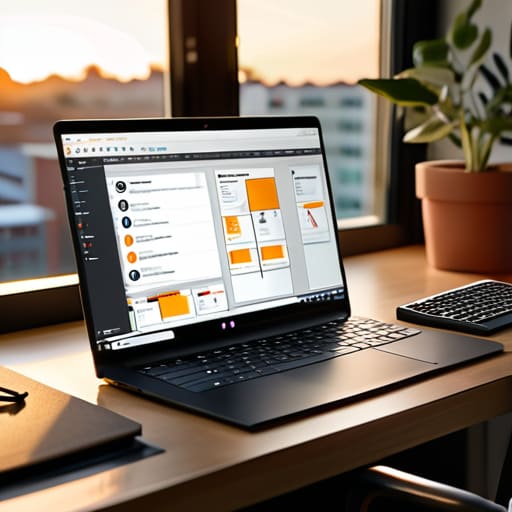
I know, I know—everyone and their mother is talking about Notion, but there’s a reason it’s everywhere. For me, it’s not about making those “aesthetic” study setups you see on TikTok; it’s about having a centralized command center for every single thing I’m learning. Whether it’s a database of coding snippets or a simple checklist for a DIY project, having a single place to dump my thoughts keeps my head from spinning.
Coursera: High-level knowledge without the debt
Sometimes you need to go deep into a subject, and you can’t just watch a five-minute YouTube tutorial to get there. That’s where Coursera comes in. It gives you access to actual courses from universities and companies like Google, which means you’re getting structured curriculum instead of a random assortment of videos. It’s the closest thing to a real classroom experience you can get from your couch.
Duolingo: The gamified habit builder
Look, if you’re trying to learn a language through heavy textbooks, you’re probably going to quit within a week. Duolingo is basically a game that happens to teach you Spanish or Japanese. It’s not going to make you fluent overnight—don’t let anyone tell you otherwise—but it is incredible for building the daily habit of engagement.
Khan Academy: Back to basics, done right
There is nothing more humbling than realizing you forgot how basic algebra works when you’re trying to troubleshoot a complex system. Khan Academy is my go-to for when I need to strip a subject down to its core fundamentals. It’s free, it’s incredibly thorough, and the way they break down complex math or science concepts is just pure genius.
Obsidian: For the deep thinkers and tinkerers
If Notion is your command center, Obsidian is your personal laboratory. It’s a markdown-based note-taking app that focuses on linking ideas together. Instead of just filing notes into folders where they go to die, Obsidian lets you create a web of interconnected thoughts. It’s essentially building a second brain that grows more powerful the more you use it.
YouTube: The world's largest, unorganized library
We need to talk about how to use YouTube correctly, because most people use it as a distraction rather than a tool. When used intentionally, it is the ultimate visual manual for literally anything. Need to see how a specific vintage synthesizer circuit works? There’s a video for that. Want to see a step-by-step breakdown of a Linux installation? You’ve got it.
Brilliant: Learning by actually doing
A lot of learning apps fail because they’re too passive—you just watch and listen. Brilliant is different because it forces you to interact with the logic. It uses interactive, bite-sized problems to teach things like computer science, data science, and physics. You aren’t just memorizing facts; you’re practicing the actual thought processes required to solve problems.
Stop Collecting, Start Doing
Look, we’ve gone through a lot of tools here, from heavy-duty flashcard systems to quick-hit language apps, but the common thread is pretty clear: there is no magic software that will learn for you. Whether you’re leaning into the spaced repetition of Anki or trying to build a structured workflow in Notion, the goal isn’t to find the most complex setup. It’s about finding the tool that removes the most friction from your specific brain. Don’t get caught in a loop of optimizing your setup for three hours when you could have spent that time actually engaging with the material. Pick one, set it up, and let it do its job so you can get back to the real work.
At the end of the day, your digital toolkit is just that—a toolkit. It’s like my vintage synths; they’re incredible pieces of gear, but they don’t make music on their own. You do. Don’t let the fear of picking the “wrong” app keep you paralyzed in a state of perpetual preparation. The most effective learning system is the one you actually use consistently without needing a manual every five minutes. Strip away the digital clutter, grab the tool that feels right, and just start. You’ve got this.
Frequently Asked Questions
How do I actually stick to a learning app without getting distracted by notifications?
Look, I get it. You open a language app to learn Spanish and ten minutes later you’re deep in a TikTok rabbit hole. To fix this, you have to treat your phone like a tool, not a toy. Go into your settings and kill every single non-essential notification immediately. If the app isn’t helping you learn in that exact moment, it doesn’t deserve your attention. Set a specific “learning window” and use Focus Mode to lock everything else out.
Are these apps worth the monthly subscription, or should I just stick to free resources like YouTube?
Honestly? It depends on your “why.” If you’re just curious about a niche hobby, stick to YouTube—it’s a goldmine if you have the patience to sift through the junk. But if you’re trying to build a career or a concrete skill set, that subscription fee is basically paying for structure. You’re buying a roadmap so you don’t waste months wandering aimlessly. Pay for the path if you’re serious; otherwise, stay free and stay curious.
Can I use these tools to learn something completely technical, like coding or sysadmin stuff, or are they mostly for casual learning?
Honestly? You can absolutely use these for the heavy-duty stuff. I use a mix of these tools to map out network topologies and track my progress through Linux certifications. The trick isn’t finding an app “made for sysadmins”—it’s about using these tools to build a system that actually holds your technical documentation and logic together. Don’t let the “casual” vibe fool you; if you can structure your notes, you can master any codebase.
How do I balance using these apps with my actual daily schedule so I don't burn out?
Look, the biggest mistake I see is treating these apps like a second job. If your “learning routine” feels like a chore, you’re going to quit by Tuesday. Don’t try to squeeze in an hour every night; just find the gaps. Use your commute or that awkward ten minutes before lunch. Tie your app time to an existing habit, like your morning coffee. Keep it low-stakes. If you miss a day, don’t sweat it—just reset.