I was halfway through documenting a delicate circuit repair on an old Moog synth when my phone decided that was the perfect moment to throw a “Storage Almost Full” error. It’s the ultimate vibe killer—you’re in the zone, trying to capture a moment or a technical fix, and suddenly your most essential tool is basically a glorified paperweight. Most “experts” will tell you to just buy a bigger cloud subscription or upgrade to the newest model, but honestly? That’s just throwing money at a symptom instead of fixing the actual problem. I’m tired of the tech industry pretending that we all need infinite, expensive space when the real issue is just digital clutter that we’ve let run wild.
I’m not here to sell you on a monthly subscription or some bloated “cleaner” app that just eats up more data. Instead, I’m going to show you how to free up phone storage using the same logic I use when I’m tidying up a messy server rack: strip it down to what actually functions. We’re going to hunt down the hidden junk, optimize what you keep, and build a system that actually works for you, rather than you working for your device.
Delete Unused Apps That Serve No Purpose
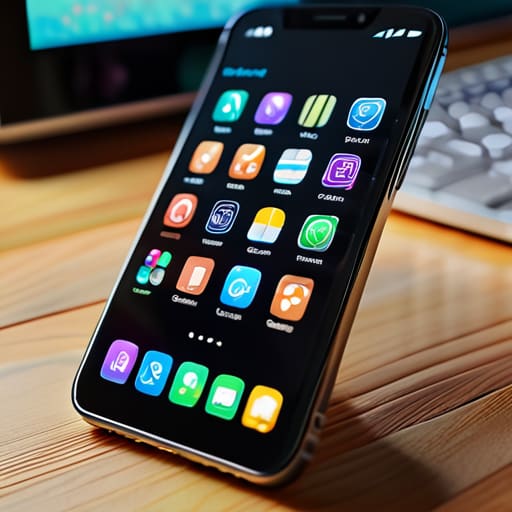
Look at your home screen. Be honest: how many of those little icons are actually doing work for you, and how many are just digital clutter taking up space? We’ve all done it—downloaded a niche photo editor for one specific project or a random game during a long flight, only to let it sit there gathering virtual dust. These apps aren’t just icons; they are background processes eating away at your resources. When you delete unused apps, you aren’t just gaining gigabytes; you’re actually helping your battery life and overall system speed.
If you’re hesitant to hit delete because you “might need it someday,” try this instead: move them to a folder or, better yet, just offload them. Most modern OS settings allow you to remove the app itself while keeping your personal data intact. This is a massive win if you want to optimize mobile memory without losing your progress in a specific tool. If you truly can’t part with them, at least go into your settings and clear cache and data for the heavy hitters. It’s the digital equivalent of cleaning out a junk drawer—it takes five minutes, but the relief of a streamlined device is immediate.
Clear Cache and Data to Reclaim Utility

Once you’ve finished the heavy lifting of deleting those apps you haven’t touched since 2022, it’s time to look at the invisible junk hiding in your system. Even the apps you actually use—like Instagram, Spotify, or Chrome—are constantly hoarding “temporary files” that eventually turn into digital sludge. This is where you need to clear cache and data to actually feel a difference in speed. Think of it like cleaning out the crumbs from your keyboard; it’s not a total overhaul, but it stops the system from feeling sluggish and bogged down.
I usually go through my most-used social media and streaming apps once a month to do a quick purge. It’s a low-effort way to optimize mobile memory without having to commit to a full factory reset. Just a heads-up: when you’re clearing data, some apps might log you out or reset your settings, so make sure you remember your passwords. It’s a small price to pay for a device that actually responds when you tap it. If you find that your storage is still screaming for mercy after this, we’ll have to move on to the bigger stuff, like managing your media libraries.
The low-effort wins for reclaiming your space
- Stop hoarding high-res photos you’ll never look at; move your heavy media to a cloud service or an external drive so your local storage can actually breathe.
- Audit your messaging apps and nukes those massive video threads that are just eating up gigabytes of space for no reason.
- Download your favorite playlists and podcasts for offline use, but actually delete the ones you’ve already finished listening to.
- Check your “Downloads” folder—it’s usually a graveyard of PDFs and random files you grabbed once and completely forgot about.
- If you’re a heavy streamer, clear out the offline data from apps like Netflix or Spotify; those “saved for offline” files add up faster than you think.
Making Space for What Matters
At the end of the day, freeing up storage isn’t just about hitting a specific number in your settings; it’s about removing the digital friction that slows you down. We’ve covered the heavy hitters—purging those ghost apps that just sit there draining your battery, and scrubbing out the cache files that are essentially just digital lint clogging up your system. When you stop letting your device choke on old junk and start proactively managing your data, you aren’t just gaining gigabytes. You’re actually making your tech reliable again, ensuring that when you actually need to capture a moment or look up a quick instruction, your phone is ready to work instead of hanging on a loading screen.
I know it can feel overwhelming to look at a “Storage Full” notification and feel like you have to curate your entire digital existence, but please don’t let perfectionism stop you from starting. You don’t need a complex, automated system to keep things running smoothly; you just need to build small, functional habits that keep the clutter at bay. My goal isn’t to turn you into a storage expert, but to help you build a life where your tools actually serve you. So, grab that multi-tool (or just your thumb), do a quick sweep, and reclaim your device’s utility. You’ve got this.
Frequently Asked Questions
If I clear my cache, am I going to lose my login info or saved settings for those apps?
Here’s the deal: clearing your cache is safe—it just wipes away temporary files like images or scripts to speed things up. You won’t lose a thing. However, if you go the extra mile and clear your app data (or “storage”), then yeah, you’re basically factory resetting that app. You’ll be logged out and all your custom settings will be gone. My advice? Stick to the cache unless an app is actually acting possessed.
Is it actually worth offloading my photos to a cloud service, or is that just another way to lose control of my files?
Look, I get the skepticism. The idea of handing your memories over to a giant server feels like losing the keys to your own house. But honestly? If you’re running out of space, it’s a trade-off. Cloud storage is great for freeing up local gigabytes, but you have to be intentional. Don’t just dump everything and forget it. Use it as a secondary backup, but keep your most vital files organized so you aren’t just renting space in a digital void.
How do I figure out which specific files are the actual storage hogs without digging through endless menus?
Honestly, digging through settings is a soul-crushing way to spend a Tuesday. Instead, let your phone do the heavy lifting. On iPhone, go to Settings > General > iPhone Storage; it actually gives you a visual breakdown of what’s eating your space. For Android, use the “Files by Google” app. It’s a lifesaver. It scans everything and literally points at the massive, useless video files or duplicate photos that are clogging up your system.
Will deleting all this junk actually make my phone run faster, or am I just making room for more clutter?
Honestly? It’s both. Deleting the junk clears the “digital cobwebs” that slow down your processor, so yeah, your phone will feel snappier. But if you just download three new games the second you hit 10GB of free space, you’re just spinning your wheels. Think of it like cleaning your workspace: it only works if you actually keep the desk clear. Clear the clutter to gain speed, then be intentional about what you let back in.